
|
Do it yourself
| |||
| ||||


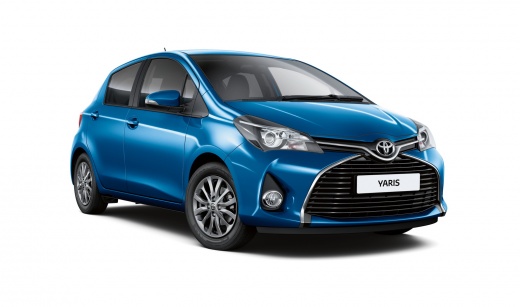
Remove the Wiper Blades from the Yaris
Model: Toyota Yaris
Xp130
- Years:
2011, 2012, 2013, 2014, 2015, 2016, 2017, 2018, 2019
Video tutorial
Removing the wiper blades from the Yaris? Here’s how to take them off from above the windscreen. Grasp the front wiper blade (to be replaced) with your hands, unlock the movable blade and slide it off the arm on the left. Attach the new blade to the arm (if the blade is not original, detach the piece as shown in the video), you will hear a click indicating it is secured. Lower the wiper arm onto the windscreen at the end of the installation. Replace the rear blade if broken in the same manner as the front one.
Updated on 22 March 2026 by ScegliAuto
Related tutorials
Toyota Yaris
(1999-2005 /
Xp10)
Before you begin, exit the cabin of your Toyota Yaris and head to the front wiper. Start by prising off and removing the cover over the nut that secu…

Toyota Yaris
(2011-2019 /
Xp130)
The following steps will show you how to remove and replace the front wipers on a Toyota Yaris in brief and simple moves. First, move to the front of…

Toyota Yaris
(1999-2005 /
Xp10)
To replace the wiper blades on your Toyota Yaris, lift the blades away from the windscreen by raising the wiper arm vertically. Once the blades are d…
Other guides you may be interested in |
How to reset the tyre pressure warning light on the Kia Niro EV?
To reset the tyre pressure warning light on the Kia Niro EV, inflate the tyres until they reach the correct pressure value. This value is indicated on the sticker attached to the driver's door pillar. Once the tyres are inflated, turn on the instrument cluster to check that the warning light has completely disappeared from the display. If it is still present, you may need to drive for a few miles to ensure it disappears completely from the screen. by ScegliAuto More videos
|
|
For advertising on this site Write to info@scegliauto.com
ScegliAuto is not responsible for any inaccuracy of the data in the lists. To report any inaccuracy or your business (if you own the business in question), please write to info@scegliauto.com
Number of seconds to generate the page: 0.047
(c) ScegliAuto 2026 - info@scegliauto.com - Privacy policy VAT number: IT01247470535 |
