
|
Do it yourself
| |||
| ||||


How to remove the rear seat of the Toyota Auris
Model: Toyota Auris
E180
- Years 2012-2018
Today's instructions will show us how to disassemble and replace the rear bench and backrests of the Toyota Auris, following these simple steps. First, we get into the car and start pulling up the rear bench, in order to detach and remove it; it will then be possible to also disassemble the rear seats, by unscrewing all the screws at the base, as shown in the video. At this point, we replace or repair the rear seats if necessary, positioning them again and securing them by applying the opposite procedure for reassembly!
Posted on 27 June 2024 by ScegliAuto
Video tutorial
Related tutorials
Toyota Auris
(2007-2012 /
E150)
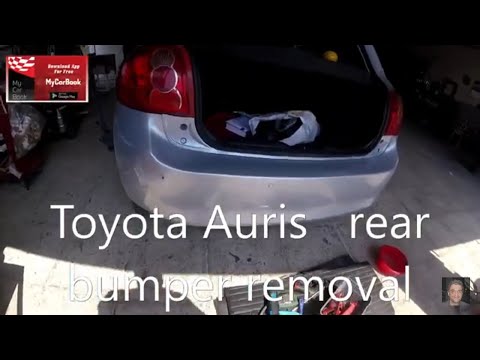
In order to remove the rear bumper of the Toyota Auris, you will need to use a tool to pry off the rivets located at the bottom of the bumper and ins…
Toyota Auris
(2007-2012 /
E150)
In this tutorial, you will see how to remove the rear bumper on a Toyota Auris, a very simple and quick operation. First, open the boot, then locate …

Toyota Auris
(2012-2018 /
E180)
Good morning, to replace the rear license plate bulb of our Toyota Auris, we start by opening the rear hatch. Now, we look for the bulb holder near t…
Other guides you may be interested in
|
How to reset the tyre pressure warning light on a Hyundai Tucson
Below are the instructions to reset the tyre pressure warning light (TPMS) on a Hyundai Tucson. First, get into the vehicle and turn on the instrument cluster; then navigate to the vehicle settings until you reach the tyre pressure monitor, identifying the tyre with incorrect pressure. At this point, restore all tyre pressures according to the specifications indicated on the label; this will reset the TPMS and the warning light will be cleared from the instrument cluster! by ScegliAuto More videos
|
|
For advertising on this site Write to info@scegliauto.com
ScegliAuto is not responsible for any inaccuracy of the data in the lists. To report any inaccuracy or your business (if you own the business in question), please write to info@scegliauto.com
Number of seconds to generate the page: 0.371
(c) ScegliAuto 2026 - info@scegliauto.com - Privacy policy VAT number: IT01247470535 |
