
|
Do it yourself
| |||
| ||||


|
Model: Triumph Speed Triple
In this tutorial we can see how to reset the service on the Triumph Speed Triple 1200 RS, an extremely simple and fast operation, to be carried out only once all scheduled maintenance work has been completed. First of all, we insert the key, then we turn on the instrument panel and reach the general menu by pressing the "HOME" button on the right handlebar. We then enter "BIKE SETUP", "SERVICE", "RESET", select "STANDARD TIME" and confirm the choice. If we wanted to change the service intervals, we would instead select "CUSTOM TIME".
Posted on 22 September 2025 by ScegliAuto
Video tutorial
Related tutorials
Speed Triple
To clear the Service light on the Triumph Speed Triple 1200 RS, connect a diagnostic tool to the vehicle's OBD port, which is located just under the …
Speed Triple
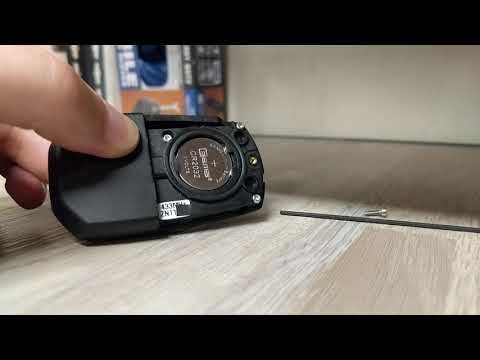
If the key for your Triumph Speed Triple 1200 RS has suddenly stopped working due to a flat battery and you want to know how to replace it, simply re…

Speed Triple
In this video, we see the main instructions for removing and replacing the rear brake pads on a Triumph Speed Triple. First, lift the rear wheel usin…
|
How to Replace the Battery in a Yamaha Vino 125 Scooter?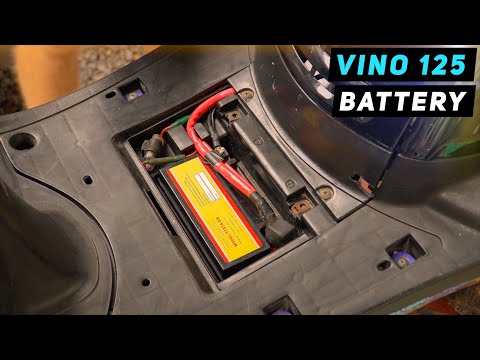
In this tutorial, you will see how to replace the battery in a Yamaha Vino 125 scooter, a very simple and quick operation. First, ensure that the key is not inserted for safety. Then, lift the rubber mat and, using a simple cross-head screwdriver, unscrew the two screws securing the plastic cover. Once opened, disconnect both terminals, starting with the negative, and remove the battery from its housing. To fit the replacement, simply follow the reverse procedure. by ScegliAuto More videos
|
|
For advertising on this site Write to info@scegliauto.com
ScegliAuto is not responsible for any inaccuracy of the data in the lists. To report any inaccuracy or your business (if you own the business in question), please write to info@scegliauto.com
Number of seconds to generate the page: 0.626
(c) ScegliAuto 2026 - info@scegliauto.com - Privacy policy VAT number: IT01247470535 |
