
|
Do it yourself
| |||
| ||||


|
Model: (Various brands) Various
If we need to reset the DCT gearbox of Honda motorcycles, we start by warming up the bike without starting the fan and putting the gearbox in neutral. We turn on the ignition, put the emergency switch on OFF, press the D button on the gearbox, switch the switch back to ON, when the engine malfunction light disappears we release the D button. Press the gearbox buttons in the sequence D, D, N, D, N, on the right side of the display the letters D and S will appear and below a flashing line. Start the engine and wait until the letters D and S and the line disappear, indicating that the reset has been completed.
Posted on 31 October 2024 by ScegliAuto
Video tutorial
Related tutorials
(Various brands) Various
Today we will explain how to independently reset the DCT transmission of the vehicle's automatic oil gearbox. To perform this simple operation, we ne…

(Various brands) Various
Today we will explain how to install the universal gear knob of a car; this is a simple and quick operation to be carried out on all vehicles that ca…

(Various brands) Various
In this video, see how a dual-clutch automatic gearbox works; it is called differently depending on the manufacturer: DSC for Volkswagen, DCT for FCA…
|
How to Turn Off the "V-Belt" Warning Light on a Yamaha X-MAX 400 Scooter?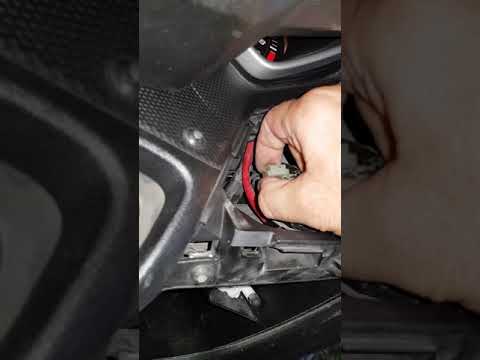
In this tutorial, learn how to turn off the "V-Belt" warning light on the Yamaha X-MAX scooter's instrument panel, a very simple and quick operation. Before doing this, ensure you have completed the required maintenance, specifically replacing the drive belt. Start by inserting the key and turning on the ignition, then open the small right glove compartment and unscrew the screw for the upper cover. Once removed, locate the white connector with a jumper attached, disconnect it, wait about 10 seconds, and reconnect it. If successful, the warning light will disappear. by ScegliAuto More videos
|
|
For advertising on this site Write to info@scegliauto.com
ScegliAuto is not responsible for any inaccuracy of the data in the lists. To report any inaccuracy or your business (if you own the business in question), please write to info@scegliauto.com
Number of seconds to generate the page: 0.040
(c) ScegliAuto 2026 - info@scegliauto.com - Privacy policy VAT number: IT01247470535 |
