
|
Do it yourself
| |||
| ||||


How to Open the Seat of the Piaggio Beverly 300 Without the Battery
Model: (Various brands) Various
Video tutorial
In this video, you will learn how to open the seat of the Piaggio Beverly 300 without the battery. The operation is very simple. Once you confirm that the battery is out of order by pressing the button to open the seat, gently remove the plastic panel directly under the seat on the left side. Be careful to slide it out correctly as shown in the video to avoid breaking the clips inside. Once the compartment under the seat is exposed, you will find a wire similar to the brake wire; pull it in the direction indicated in the video and open the seat manually. The operation will take less than a minute.
Updated on 27 June 2026 by ScegliAuto
Related tutorials
(Various brands) Various
If you need to open the seat of your scooter in case the battery is flat, the following description shows how to proceed and what operation to perfor…

(Various brands) Various
Resetting the service light on Piaggio Beverly 300/400 HPE models is a very simple operation. Start by placing the scooter, turned off, on its stand …
(Various brands) Various
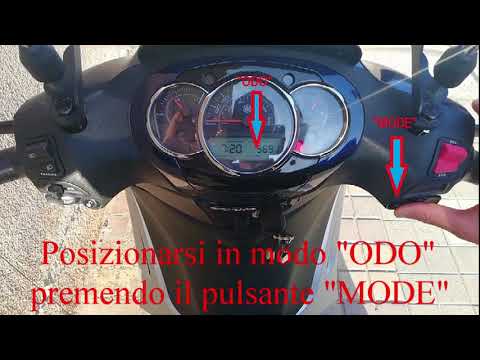
In this video tutorial, you can see how to set the clock on the Beverly 300 scooter. For safety reasons, the clock can only be set when the vehicle i…
Other guides you may be interested in
|
Frequently Asked QuestionsHow to Set the Time in an Audi A4?
In this tutorial, you will see how to set the time in an Audi A4, a very simple and quick operation to perform after replacing the battery or when the time changes. First, insert the key and turn on the instrument cluster. Then, press the "SETUP" button located on the center console. Next, press the upper left arrow button, navigate to the "Time" option, and use the central knob to adjust the clock. Finally, set any necessary formats and save by returning to the main screen. by ScegliAuto More videos
|
|
For advertising on this site Write to info@scegliauto.com
ScegliAuto is not responsible for any inaccuracy of the data in the lists. To report any inaccuracy or your business (if you own the business in question), please write to info@scegliauto.com
Number of seconds to generate the page: 0.063
(c) ScegliAuto 2026 - info@scegliauto.com - Privacy policy VAT number: IT01247470535 |
