
|
Do it yourself
| |||
| ||||


How to Restart an Android Car Radio
Model: (Various brands) Various
Video tutorial
In this video, see how to perform a hard reset on an Android car radio using the RST button (which means reset). You need to press the RST button on the front of the screen with a pointed object for about 3 to 6 seconds. Ideally, you would use a SIM eject pin, which you can find on Amazon with code B0BCKR94RR for £6.99, with free delivery for Prime customers. If your system is stuck on the Android boot screen, there is a way to enter recovery mode: go to settings, then car/system Android/system/recovery options/factory data reset.
Updated on 10 August 2026 by ScegliAuto
Related tutorials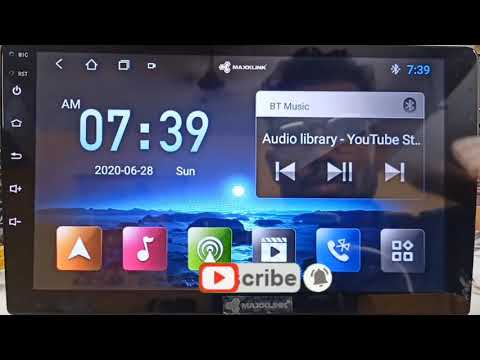
(Various brands) Various
If you have installed an Android T3L car radio in your vehicle and are experiencing serious software issues, do not worry. With the following method,…

(Various brands) Various
Let's see how to solve a problem that often occurs on Android Auto. It is a security setting of Android to protect hearing, if it is active and set l…

(Various brands) Various
The YouTuber in this video advises how to install a touch screen radio, enabling the use of Apple CarPlay or Android Auto in an older car, and import…
Other guides you may be interested in |
How to Open the Fuel Filler Flap in the Hyundai i30?
In this tutorial, you will learn how to open the fuel filler flap in the Hyundai i30, a very simple operation that follows the typical procedure of most vehicles. First, unlock the locks using the designated button on the remote, then open the driver's door, locate the release lever on the left side of the seat, and operate it. Next, move to the fuel filler flap, open it completely, unscrew the cap, and refuel as needed. To close the flap, simply press it gently. by ScegliAuto More videos
|
|
For advertising on this site Write to info@scegliauto.com
ScegliAuto is not responsible for any inaccuracy of the data in the lists. To report any inaccuracy or your business (if you own the business in question), please write to info@scegliauto.com
Number of seconds to generate the page: 0.041
(c) ScegliAuto 2026 - info@scegliauto.com - Privacy policy VAT number: IT01247470535 |
