
|
Do it yourself
| |||
| ||||


How to Replace Car Speaker Units
Model: (Various brands) Various
Video tutorial
Replacing the car speaker units is a straightforward task that can be easily done independently, aided by our video tutorial explaining the steps to follow. The first step is to remove the door panel. To do this, remove the hard plastic parts using a plastic lever and then unscrew the screws securing the panel. At this point, pull out the panel and then remove the plastic film. The second step is to dismantle the speaker; to do this, you need to remove the gasket and screws. Disconnect the connector and then pull it out. Once the speaker is removed, you can install the new gasket and fit the new speaker. After fitting the speaker, reassemble the panel.
Updated on 11 August 2026 by ScegliAuto
Related tutorials
(Various brands) Various
Our YouTuber, a true tuning professional, tested one of those additional control units - which are currently very popular - costing around £80 to £10…
(Various brands) Various
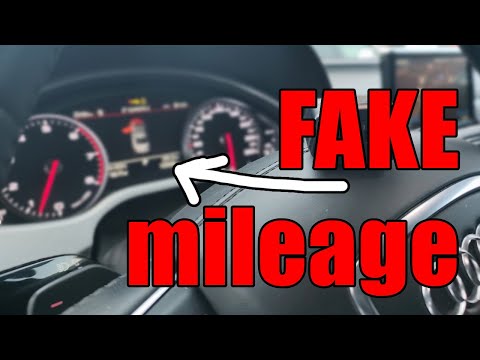
In this video, we will see how to check if a vehicle's mileage counter has been rolled back, using an OBD2 device capable of reading real-time data, …

(Various brands) Various
If we want to upgrade the speakers in our car, it is good to remember some of the indications that this youtuber gives us regarding aftermarket speak…
Other guides you may be interested in
|
How to Open the Fuel Filler Flap in the Hyundai i30?
In this tutorial, you will learn how to open the fuel filler flap in the Hyundai i30, a very simple operation that follows the typical procedure of most vehicles. First, unlock the locks using the designated button on the remote, then open the driver's door, locate the release lever on the left side of the seat, and operate it. Next, move to the fuel filler flap, open it completely, unscrew the cap, and refuel as needed. To close the flap, simply press it gently. by ScegliAuto More videos
|
|
For advertising on this site Write to info@scegliauto.com
ScegliAuto is not responsible for any inaccuracy of the data in the lists. To report any inaccuracy or your business (if you own the business in question), please write to info@scegliauto.com
Number of seconds to generate the page: 0.047
(c) ScegliAuto 2026 - info@scegliauto.com - Privacy policy VAT number: IT01247470535 |
