
|
Do it yourself
| |||
| ||||


How to Reset the Service Light on a Microcar 50
Model: (Various brands) Various
This video is currently unavailable
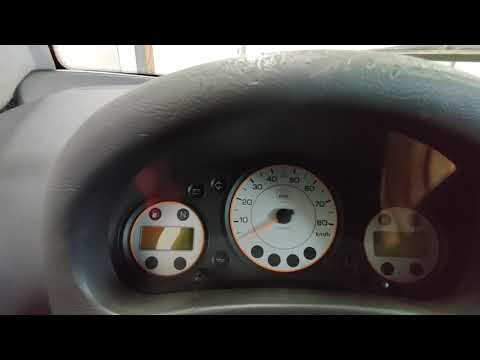
Here are the step-by-step instructions to reset the service light for the routine maintenance oil change on a Microcar 50. First, get into the car and press and hold the right button on the instrument panel; then turn the key to position one and wait about five seconds before turning everything off again and releasing the button, as shown in the video. At this point, turn on the instrument panel and check that the maintenance light has been permanently reset.
Updated on 26 August 2026 by ScegliAuto
Related tutorials
(Various brands) Various
In this video, you will learn how to reset the service light on a Ligier Microcar. A spanner icon appears on the dashboard, indicating that periodic …

(Various brands) Various
To reset the Service light on the Microcar M.GO, press and hold the button located at the bottom centre of the instrument cluster while it is off: co…
(Various brands) Various
Hello everyone! Today, you will learn how to reset the service light on Aixam microcars. This light illuminates at predetermined intervals (set by th…
Other guides you may be interested in |
Frequently Asked QuestionsHow to Remove the Toll Tag Holder from the Car Windscreen
The toll tag holder is usually attached to the car windscreen to ensure that the toll tag functions immediately when passing through barriers. However, if you decide to remove the holder, you should follow this procedure: - Insert the toll tag into the holder; - Pull the holder inwards to detach it from the windscreen; you can use a glass scraper or a stiff plastic card to assist you; After removing the holder, it is essential to remove the adhesive from the windscreen. To remove the adhesive, we recommend using a solvent-based spray that will remove the glue without clouding the area. by ScegliAuto More videos
|
|
For advertising on this site Write to info@scegliauto.com
ScegliAuto is not responsible for any inaccuracy of the data in the lists. To report any inaccuracy or your business (if you own the business in question), please write to info@scegliauto.com
Number of seconds to generate the page: 0.101
(c) ScegliAuto 2026 - info@scegliauto.com - Privacy policy VAT number: IT01247470535 |
