
|
Do it yourself
| |||
| ||||


How does the Volkswagen Head-up system work?
Model: Volkswagen Volkswagen Various
In this video, we illustrate how Volkswagen's augmented reality system, called "Head up," works. It is an innovative technology that projects important information directly into the driver's field of vision, without the need to look away from the road. It's like having a small transparent screen in front of us that displays speed at eye level, navigation that appears directly on the windshield as if overlaid on the real road, following arrows indicating the correct lane or receiving alerts about speed limits; we can also receive useful information such as fuel level or incoming calls. It reduces driver distraction, allowing us to keep our eyes on the road at all times, and enhances the driving experience. The technology uses a projector that displays images directly on the windshield. Currently, this technology is available on the ID vehicles, the electric ones from the brand.
Posted on 19 September 2024 by ScegliAuto
Video tutorial
Related tutorials
Volkswagen Volkswagen Various
In order to activate the head-up display of Volkswagen vehicles, you need to turn on the instrument panel by inserting the ignition key into the appr…

Volkswagen Volkswagen Various
From this video we can see how the front assist works on Volkswagen brand cars: this system alerts the driver of a dangerous situation and brakes if …
Volkswagen Volkswagen Various
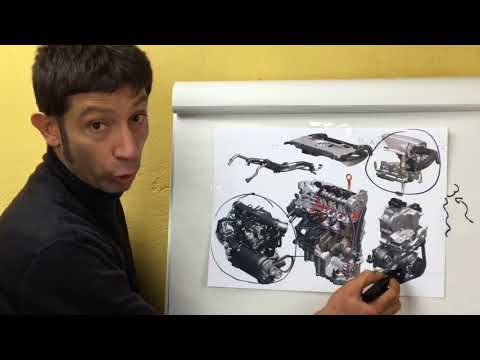
See how the turbocharged volumetric system works in TSI versions. To ensure excellent performance in a 1.4, Volkswagen equipped it with a generous tu…
Other guides you may be interested in
|
How to Set the Clock on the Opel Zafira
Setting the clock to the current Italian time on an Opel Zafira model B is a very simple operation, also made easier by our short instructional video. The first step is to turn on the instrument panel and then press the SETTING button located on the central dashboard. Once inside the menu, use the buttons to navigate to the clock setting. Adjust the hours and minutes and restart the instrument panel. If the clock does not update, it may be necessary to diagnose the radio or the vehicle's control unit. by ScegliAuto More videos
|
|
For advertising on this site Write to info@scegliauto.com
ScegliAuto is not responsible for any inaccuracy of the data in the lists. To report any inaccuracy or your business (if you own the business in question), please write to info@scegliauto.com
Number of seconds to generate the page: 0.052
(c) ScegliAuto 2026 - info@scegliauto.com - Privacy policy VAT number: IT01247470535 |
