
|
Do it yourself
| |||
| ||||


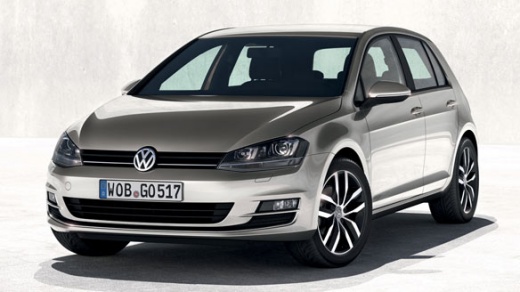
How to replace the thermostat on a Volkswagen Golf?
Model: Volkswagen Golf
MK 7, Golf 7, Golf VII
- Years:
2012, 2013, 2014, 2015, 2016, 2017, 2018, 2019
Video tutorial
Hello, today’s objective is to replace the thermostat on your Volkswagen Golf. First, ensure the engine is cold. Locate the thermostat position on the engine. Remove the water pipe and surrounding parts to access it. Once located, undo the thermostat mounting bolts and remove it. Clean the mounting surface thoroughly. Install the new thermostat, ensuring it is positioned correctly and secure it with the bolts. Reinstall the water pipe and the previously removed parts. Finally, fill the cooling system with coolant and check for leaks. Once this step is completed, you will have finished replacing the thermostat on your Volkswagen Golf.
Updated on 30 October 2026 by ScegliAuto
Related tutorials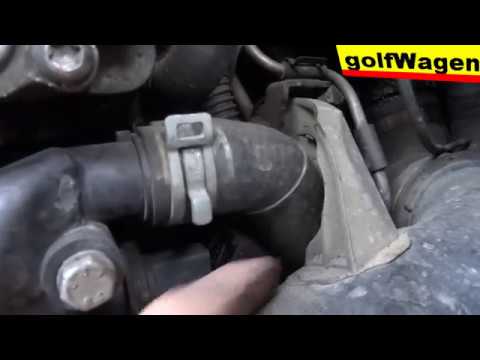
Volkswagen Golf
(2003-2008 /
Golf 5, MK 5, Golf V)
To replace the thermostat of the Volkswagen Golf 5, open the bonnet and access the engine bay: the thermostat is located between the right side of th…

Volkswagen Golf
(1997-2003 /
Golf IV, Golf 4, MK 4)
To replace the thermostat on a Volkswagen Golf, loosen the screws that secure it to its housing. Open the bonnet to access the components in the engi…
Volkswagen Golf
(1997-2003 /
Golf IV, Golf 4, MK 4)
In this brief and simple guide, follow the steps to dismantle and replace the thermostat on a Volkswagen Golf 1.9 TDI. First, open the bonnet of your…
Other guides you may be interested in
|
How to Open the Fuel Flap on a Volkswagen Tiguan?
To open the fuel flap on a Volkswagen Tiguan, first unlock the car using the appropriate button on the remote. This will open the car and unlock the mechanism that controls the fuel flap. At this point, apply light pressure to the left side of the flap to open it and access the cap underneath. Once this is unscrewed, you can refuel and then close everything. by ScegliAuto More videos
|
|
For advertising on this site Write to info@scegliauto.com
ScegliAuto is not responsible for any inaccuracy of the data in the lists. To report any inaccuracy or your business (if you own the business in question), please write to info@scegliauto.com
Number of seconds to generate the page: 0.007
(c) ScegliAuto 2026 - info@scegliauto.com - Privacy policy VAT number: IT01247470535 |
