
|
Do it yourself
| |||
| ||||


How to fix the front assist malfunction not available on Volkswagen Golf VII
Model: Volkswagen Golf
Golf VII, MK 7, Golf 7
- Years 2012-2019
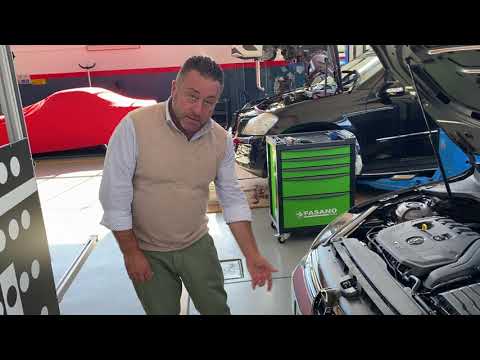
In this video, we will see how to fix the problem of the front assist not working on the Volkswagen Golf VII: you will only need an OBDII reader to plug into the EOBD socket, because we know for sure that it is not broken, it just needs to be recalibrated, and we can do it ourselves. We need to park our car in front of a flat wall, at a distance of 100/120 cm, then connect our OBDII, and connect to the control app, scroll down to the basic settings, and touch the adaptive cruise control calibration. Select "static" and make a small adjustment, which should only take a few seconds. If we look at the dashboard, we will notice that the error light has disappeared; now it will not be as precise as if it had been recalibrated by the dealer, but it works perfectly and we will have saved at least two hundred euros.
Posted on 19 January 2025 by ScegliAuto
Video tutorial
Related tutorials
Volkswagen Golf
(2012-2019 /
Golf VII, MK 7, Golf 7)
In order to reset the Front Assist of the Volkswagen Golf, it will be necessary to completely remove the front bumper and the corresponding grille: t…
Volkswagen Golf
(2012-2019 /
Golf VII, MK 7, Golf 7)
To calibrate the Front Assist of the Volkswagen Golf, use a special tool called ADAS. First, locate the radar by removing the front badge, prying it …

Volkswagen Golf
(2012-2019 /
Golf VII, MK 7, Golf 7)
To replace the Front Assist sensor of the Volkswagen Golf, you need to use an object to pry off the manufacturer's badge located on the front of the …
Other guides you may be interested in
|
Frequently Asked QuestionsHow to Replace the External Wing Mirror on a Ford C MAX
In the event of a breakage, it will be necessary to replace the external wing mirror on the 2011 Ford C MAX. This operation is easily performed independently. Start by removing the internal cover of the mirror with a plastic lever. Then, use a socket wrench to remove the securing pins. Once the pins are removed, you can take off the mirror, but not before disconnecting the power connectors. Then proceed to fit the new mirror. First, connect the connectors and then secure the mirror to its housing with the pins. Refit the plastic cover and test the operation of the electric mirror using the controls. by ScegliAuto More videos
|

|
For advertising on this site Write to info@scegliauto.com
ScegliAuto is not responsible for any inaccuracy of the data in the lists. To report any inaccuracy or your business (if you own the business in question), please write to info@scegliauto.com
Number of seconds to generate the page: 0.298
(c) ScegliAuto 2026 - info@scegliauto.com - Privacy policy VAT number: IT01247470535 |
