
|
Do it yourself
| |||
| ||||


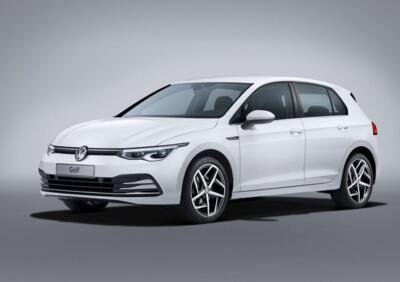
Two of the driving assistants in the Volkswagen Golf VIII.
Model: Volkswagen Golf
MK 8, Golf 8, Golf Viii
- Years:
2019, 2020, 2021, 2022, 2023, 2024, 2025, 2026
This video is currently unavailable
Let's see, with the help of the youtuber, two of the driving assistants of the Volkswagen Golf VIII: let's start with the "line up", that is the lane keeping assist that activates when the cameras detect the horizontal road markings, and will be indicated as active by a green icon on the dashboard; the car will keep us in the center of the lane, even if we take our hands off the steering wheel. The adaptive cruise control allows us to maintain a safe distance from the vehicle in front of us, keeping our car's speed constant. To activate it, just press the button on the left side of the steering wheel; furthermore, thanks to the GPS, the cruise control identifies curves and roundabouts, in order to automatically slow down.
Posted on 26 June 2025 by ScegliAuto
Related tutorials
Volkswagen Golf
(2019-2026 /
MK 8, Golf 8, Golf Viii)
Let's see how to change the battery in the Volkswagen Golf VIII remote: first, remove the physical emergency key from its housing, then use a screwdr…

Volkswagen Golf
(2019-2026 /
MK 8, Golf 8, Golf Viii)
In this video, you will learn how to turn off the maintenance lights on the Volkswagen Golf VIII: from the switch panel located on the right side of …

Volkswagen Golf
(2019-2026 /
MK 8, Golf 8, Golf Viii)
In this video we will see how to remove the front grille with the emblem of the Volkswagen Golf VIII: we will need a 25mm torx key, with which we wil…
Other guides you may be interested in
|
How to Set the Time in an Audi A4?
In this tutorial, you will see how to set the time in an Audi A4, a very simple and quick operation to perform after replacing the battery or when the time changes. First, insert the key and turn on the instrument cluster. Then, press the "SETUP" button located on the center console. Next, press the upper left arrow button, navigate to the "Time" option, and use the central knob to adjust the clock. Finally, set any necessary formats and save by returning to the main screen. by ScegliAuto More videos
|
|
For advertising on this site Write to info@scegliauto.com
ScegliAuto is not responsible for any inaccuracy of the data in the lists. To report any inaccuracy or your business (if you own the business in question), please write to info@scegliauto.com
Number of seconds to generate the page: 0.030
(c) ScegliAuto 2026 - info@scegliauto.com - Privacy policy VAT number: IT01247470535 |
