
|
Do it yourself
| |||
| ||||


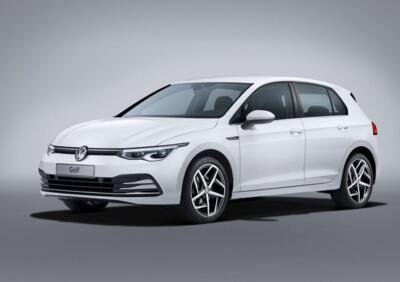
How do you activate the cruise control of the Volkswagen Golf?
Model: Volkswagen Golf
MK 8, Golf 8, Golf Viii
- Years:
2019, 2020, 2021, 2022, 2023, 2024, 2025, 2026
Video tutorial
In order to activate the cruise control of the Volkswagen Golf, you will need to start the engine and reach the desired cruising speed. Once this speed is reached, you can press the button to activate the cruise control, which is located on the right side of the steering wheel. In this way, you will notice that the speed will be maintained even when you lift your foot off the accelerator pedal. Additionally, the adaptive cruise control allows for automatic distance adjustment from other vehicles. Pressing the button again will deactivate the system.
Posted on 7 November 2025 by ScegliAuto
Related tutorials
Volkswagen Golf
(2019-2026 /
MK 8, Golf 8, Golf Viii)
In this guide, we will discover how to activate and use the cruise control function on the Volkswagen Golf. First, get into the cabin and turn on the…

Volkswagen Golf
(2019-2026 /
MK 8, Golf 8, Golf Viii)
The Cruise Control on Volkswagen Golf model 8 is installed on the onboard computer to facilitate and control driving. The system allows you to not ex…

Volkswagen Golf
(2012-2019 /
MK 7, Golf 7, Golf VII)
On most cars that use adaptive cruise control, it is activated simply by pressing a button; however, on some Mercedes cars, it is activated by pullin…
Other guides you may be interested in
|
How to Activate the Disabled TRC on the Toyota Yaris?
As the video clearly shows, disabling or activating the traction control (TRC or ESP) on the Toyota Yaris is very simple. By default, the traction system activates every time the vehicle is started. To disable it, simply press the button depicting a skidding car located in the centre of the vehicle where the controls are, such as the hazard lights and the radio, but near the handbrake. Once disabled, the TRC off light will illuminate on the dashboard. To reactivate it, just press the same button again. by ScegliAuto More videos
|
|
For advertising on this site Write to info@scegliauto.com
ScegliAuto is not responsible for any inaccuracy of the data in the lists. To report any inaccuracy or your business (if you own the business in question), please write to info@scegliauto.com
Number of seconds to generate the page: 0.028
(c) ScegliAuto 2026 - info@scegliauto.com - Privacy policy VAT number: IT01247470535 |
