
|
Do it yourself
| |||
| ||||


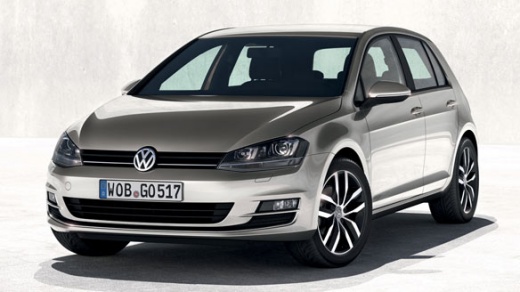
How do you install Android Auto on the Volkswagen Golf?
Model: Volkswagen Golf
MK 7, Golf 7, Golf VII
- Years:
2012, 2013, 2014, 2015, 2016, 2017, 2018, 2019
Video tutorial
To install Android Auto on the Volkswagen Golf, you first need to download the source file of the program by visiting the website shown in the video and following the indicated procedure. Once the file has been downloaded, it must be installed on an SD card, which should then be connected to the car's USB port using a suitable adapter. After the connection is made, you can go to the infotainment screen that allows you to download updates: by selecting the available update, you can start the installation.
Posted on 22 December 2025 by ScegliAuto
Related tutorials
Volkswagen Golf
(2012-2019 /
MK 7, Golf 7, Golf VII)
Below we will see the instructions that will allow us to activate the Android Auto system on the Volkswagen Golf, in simple steps. First, we get into…

Volkswagen Golf
(1997-2003 /
Golf IV, Golf 4, MK 4)
To install the armrest of the Volkswagen Golf, you need to detach the rivets located on the sides of the centre console to free and remove the plasti…

Volkswagen Golf
(2019-2026 /
MK 8, Golf 8, Golf Viii)
Today we will discover the instructions that will allow us to activate applications through the App Connect system of the Volkswagen Golf. First, let…
Other guides you may be interested in |
How to Open the Bonnet on the Mitsubishi L200?
In this tutorial, you will see how to open the bonnet on the Mitsubishi L200, a very simple operation that follows the standard procedure. First, open the vehicle and go to the driver's side, then locate the lever at the lower outer area, just in front of the pedals, and pull it. Next, position yourself in front of the bonnet, locate the second lever above the Mitsubishi logo, and push it to the right, releasing the latch. At this point, you can fully lift the bonnet and secure it with the prop rod. by ScegliAuto More videos
|
|
For advertising on this site Write to info@scegliauto.com
ScegliAuto is not responsible for any inaccuracy of the data in the lists. To report any inaccuracy or your business (if you own the business in question), please write to info@scegliauto.com
Number of seconds to generate the page: 0.012
(c) ScegliAuto 2026 - info@scegliauto.com - Privacy policy VAT number: IT01247470535 |
