
|
Do it yourself
| |||
| ||||


How to Activate Voice Control and Apple CarPlay on Volkswagen/Audi
Model: Volkswagen Golf
Golf VII, MK 7, Golf 7
- Years 2012-2019
This procedure applies to Volkswagen Audi with the standard MIB2 system. Use the activation file FEC (Function Enablement Code) loaded via SD card, as if it were a product key. You will need a 4 GB SD card, a laptop, and the file that can be downloaded from the YouTube description. Go to the software menu and note your version; take a photo of the installed and supported codes and note the VIN and BCRN within the installed codes. Format the SD in FAT32; copy the "common", "exception", and "meta" files to the root and modify the "ad_effect.txt" file. Keep only the codes supported by your system and add the "voice control" code. Insert the VIN and BCRN into the dedicated files and rename the files by removing the extension. Remove the map SD card, insert the prepared SD card, start the engine, and press menu/software update, then select SD card/activator/start. The system will restart twice: let it do its job. You will need an ODS11 or VDCS in module 5F (multimedia) as there will be a "fault code" after activation that needs to be removed. Remember this is an unofficial procedure and getting the files wrong can be very dangerous.
Posted on 10 April 2026 by ScegliAuto
Video tutorial
Related tutorials
Volkswagen Golf
(2012-2019 /
Golf VII, MK 7, Golf 7)
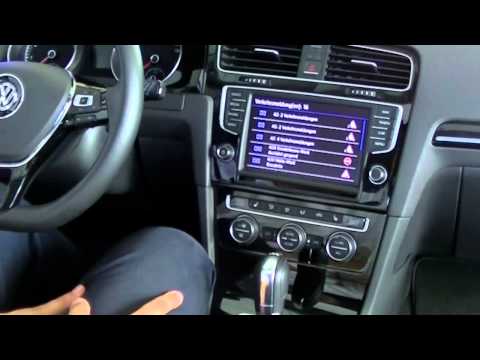
These short and simple instructions will show us how to activate the voice command of the multimedia system of the Volkswagen Golf. First, we get on …
Volkswagen Golf
(2012-2019 /
Golf VII, MK 7, Golf 7)
In this guide, discover how to activate the voice assistant on the Volkswagen Golf's onboard computer by following these simple and quick steps. Firs…

Volkswagen Golf
(2019-2026 /
Golf 8, MK 8, Golf Viii)
Today we will discover the instructions that will allow us to activate applications through the App Connect system of the Volkswagen Golf. First, let…
Other guides you may be interested in
|
Where is the Spare Wheel in the Peugeot 5008?
This video shows where the spare wheel is located in the Peugeot 5008 and how to access it, useful in case of a puncture. As shown, the wheel is not in the usual boot compartment but underneath it, outside the vehicle. To free the wheel, first gather the tools provided, then open the boot, locate the small indicated hatch, and open it. Next, loosen the bolt just released using the large socket wrench enough to lower the wheel to the ground. by ScegliAuto More videos
|

|
For advertising on this site Write to info@scegliauto.com
ScegliAuto is not responsible for any inaccuracy of the data in the lists. To report any inaccuracy or your business (if you own the business in question), please write to info@scegliauto.com
Number of seconds to generate the page: 0.498
(c) ScegliAuto 2026 - info@scegliauto.com - Privacy policy VAT number: IT01247470535 |
