
|
Do it yourself
| |||
| ||||


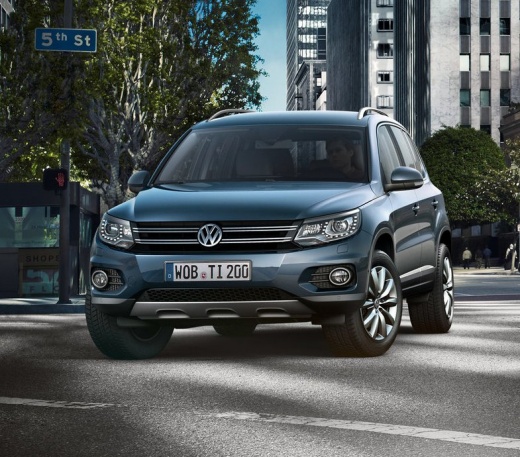
How to Disable the Start/Stop Function in a Volkswagen Tiguan
Model: Volkswagen Tiguan
5N, MK 1
- Years:
2007, 2008, 2009, 2010, 2011, 2012, 2013, 2014, 2015, 2016
Video tutorial
To disable the Start/Stop function in a first-generation Volkswagen Tiguan, get in the vehicle and turn on the instrument cluster or start the engine. On the central console, near the gear lever, locate the button marked with the letter "A" enclosed by a circular arrow. Press the button once to exclude the system: the warning light indicating deactivation will illuminate on the instrument cluster. From that moment, the engine will not automatically switch off during stops. The deactivation remains active until the vehicle is turned off; upon the next start, the function will reactivate automatically.
Posted on 24 September 2026 by ScegliAuto
Related tutorials
Volkswagen Tiguan
(2016-2025 /
BW, MK 2, AD)
In this video, learn how to permanently disable the Start & Stop function on a Volkswagen Tiguan. This function is not liked by all drivers, and some…

Volkswagen Tiguan
(2007-2016 /
5N, MK 1)
Briefly, here are the instructions to temporarily disable the Start&Stop system on the Volkswagen Tiguan. First, get in the vehicle and turn on the i…

Volkswagen Tiguan
(2016-2025 /
BW, MK 2, AD)
Follow these instructions to disable the Start&Stop system on a Volkswagen Tiguan. First, get in the vehicle and turn on the instrument panel; then l…
Other guides you may be interested in
|
How to Reset the Tyre Pressure Warning Light on the Opel Mokka?
To reset the tyre pressure warning light on the Opel Mokka, turn on the ignition by inserting the key into the ignition switch. Once the ignition is on, navigate through the menu that appears on the dashboard by pressing the MENU button on the lever to the left of the steering wheel. When the tyre pressure option appears, press and hold the SET/CLR button located on the same lever. This will reset the warning light, and you can then turn off the ignition. by ScegliAuto More videos
|
|
For advertising on this site Write to info@scegliauto.com
ScegliAuto is not responsible for any inaccuracy of the data in the lists. To report any inaccuracy or your business (if you own the business in question), please write to info@scegliauto.com
Number of seconds to generate the page: 0.029
(c) ScegliAuto 2026 - info@scegliauto.com - Privacy policy VAT number: IT01247470535 |
