
|
Do it yourself
| |||
| ||||


How to Permanently Disable the Start & Stop Function on a Volkswagen Tiguan
Model: Volkswagen Tiguan
BW, MK 2, AD
- Years 2016-2025
In this video, learn how to permanently disable the Start & Stop function on a Volkswagen Tiguan. This function is not liked by all drivers, and some find it annoying to have to deactivate it every time they get in the car. To remove the function once and for all, proceed using the OBD11 reader, and using this interface is quite simple; in the OBD11 program, go to module 19, find the "adaptation" option, then locate the "Start & Stop" setting where it indicates a limit of 7.6 volts. We will raise it to 12 volts. Hold it down to confirm, and the function is permanently disabled.
Updated on 15 September 2026 by ScegliAuto
Video tutorial
Related tutorials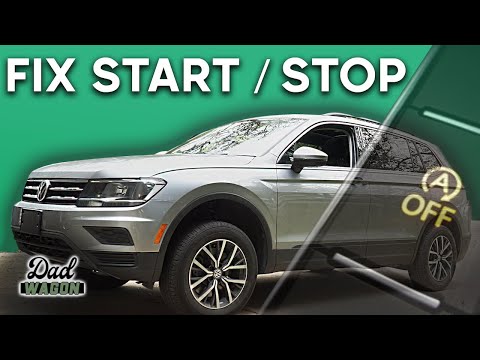
Volkswagen Tiguan
(2016-2025 /
BW, MK 2, AD)
In today's video tutorial, we will see how to permanently disable the start&stop feature on the Volkswagen Tiguan, following the instructions outline…

Volkswagen Tiguan
(2016-2025 /
BW, MK 2, AD)
Follow these instructions to disable the Start&Stop system on a Volkswagen Tiguan. First, get in the vehicle and turn on the instrument panel; then l…

Volkswagen Tiguan
(2007-2016 /
5N, MK 1)
Briefly, here are the instructions to temporarily disable the Start&Stop system on the Volkswagen Tiguan. First, get in the vehicle and turn on the i…
Other guides you may be interested in |
Frequently Asked QuestionsFuses Location and Diagram for the Volkswagen Crafter
In this guide, we will look at the location of the fuse boxes and how to find their diagram for the Volkswagen Crafter. First, get inside the vehicle and start by removing the plastic cover found under the steering wheel, to access the internal fuse box; you will find another fuse box in the engine compartment by removing the plastic cover located next to the battery. At this point, use the owner's manual to find the fuse diagram, which will allow you to identify and replace any blown fuses with new ones! by ScegliAuto More videos
|
|
For advertising on this site Write to info@scegliauto.com
ScegliAuto is not responsible for any inaccuracy of the data in the lists. To report any inaccuracy or your business (if you own the business in question), please write to info@scegliauto.com
Number of seconds to generate the page: 0.055
(c) ScegliAuto 2026 - info@scegliauto.com - Privacy policy VAT number: IT01247470535 |
