
|
Do it yourself
| |||
| ||||



How to Set the Clock in a Volkswagen Polo
Model: Volkswagen Polo
- Years:
2009, 2010, 2011, 2012, 2013, 2014, 2015, 2016, 2017
Video tutorial
To set the clock on a Volkswagen Polo, turn on the instrument panel without necessarily starting the engine. Adjust the time using the two buttons located at the bottom of the panel, on either side of the odometer display. Press the left button, marked with the clock symbol, to select the hours, which will start to flash. Use the right button 0.0/SET to change the value until you reach the desired time. Press the left button again to adjust the minutes, which can be modified using the same right button. Once the correct time is set, wait a few seconds or press the left button again to finish the procedure. The changes will be saved automatically and the updated time will appear on the display.
Posted on 24 October 2026 by ScegliAuto
Related tutorials
Volkswagen Polo
(2001-2009 /
Polo 4, Polo IV, MK IV, MK 4, 9N)
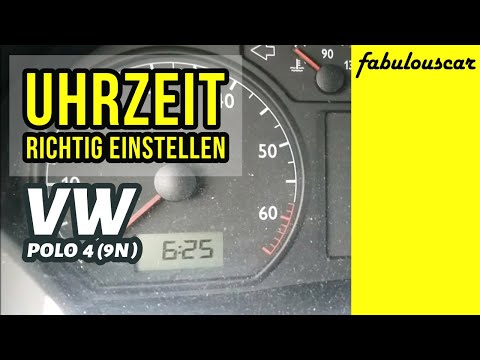
In this tutorial we can see how to adjust the time in the Volkswagen Polo, a very simple and quick operation, to be carried out for example after rep…
Volkswagen Polo
(2001-2009 /
Polo 4, Polo IV, MK IV, MK 4, 9N)
In this tutorial, see how to set the time in a Volkswagen Polo, a very simple and quick operation to perform after disconnecting the battery or after…

Volkswagen Polo
(1994-2003 /
MK 3, Polo 3, 6N, MK III, Polo III)
In this tutorial, you will see how to set the time on a Volkswagen Polo, an extremely simple and quick operation, for example, as a troubleshooting a…
Other guides you may be interested in
|
How to adjust the handbrake on the Smart Fortwo?
To adjust the handbrake on the Smart Fortwo, loosen the screws securing the left rear wheel so that it can be removed: after the wheel has been removed from its seat, loosen the screws securing the corresponding brake drum, locating the shoes and the handbrake mechanism. This can be adjusted by tightening or loosening the shoes to regulate the intensity of the handbrake; once the adjustment is complete, verify that the operation has been successfully finished. by ScegliAuto More videos
|
|
For advertising on this site Write to info@scegliauto.com
ScegliAuto is not responsible for any inaccuracy of the data in the lists. To report any inaccuracy or your business (if you own the business in question), please write to info@scegliauto.com
Number of seconds to generate the page: 0.057
(c) ScegliAuto 2026 - info@scegliauto.com - Privacy policy VAT number: IT01247470535 |
