
|
Do it yourself
| |||
| ||||


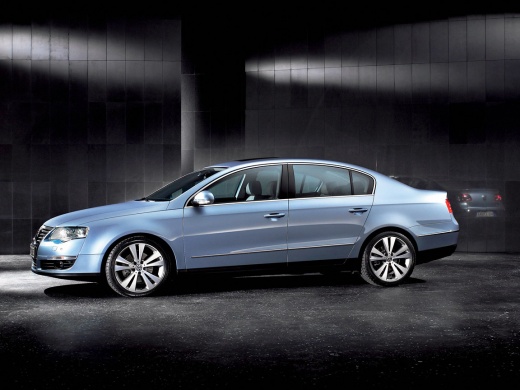
Removing the Radio Block and Installing the Satellite Navigator
Model: Volkswagen Passat
B6, 3C
- Years:
2005, 2006, 2007, 2008, 2009, 2010
Video tutorial
In this video, the radio block of a Volkswagen Passat is removed and replaced with a satellite navigator. First, remove the trim surrounding the radio; use a plastic spatula and be careful not to damage the trim. Once removed, unscrew the four screws securing the block, then proceed to extract it. Disconnect the electrical connections of the radio and, after obtaining the new GPS navigator, connect its wiring. Insert the card into the navigator and check its functionality by pressing the power button. Now turn it off and place it in its compartment. Reattach the securing screws and reposition the trim as it was before.
Updated on 6 February 2026 by ScegliAuto
Related tutorials
Volkswagen Passat
(2005-2010 /
B6, 3C)
With the instructions from this video, you can disassemble the car radio block equipped with a satellite navigation system from your Volkswagen Passa…
Volkswagen Passat
(2005-2010 /
B6, 3C)
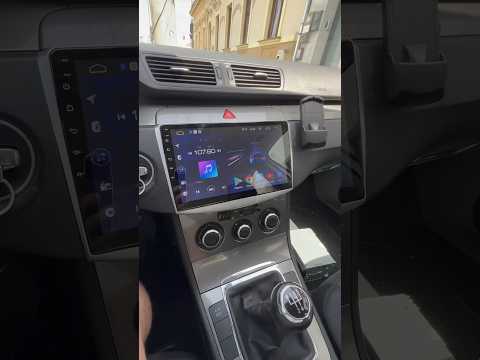
In this video, learn how to replace the radio in a Volkswagen Passat B6 or B7 with an Android unit. Start by removing the plastic trim surrounding th…

Volkswagen Passat
(1996-2005 /
3BG, B5)
Need to remove the car radio from the dashboard? This guide shows you how to do it in a few steps. Obtain the appropriate removal tools available fro…
Other guides you may be interested in |
How to Set the Time in an Audi A4?
In this tutorial, you will see how to set the time in an Audi A4, a very simple and quick operation to perform after replacing the battery or when the time changes. First, insert the key and turn on the instrument cluster. Then, press the "SETUP" button located on the center console. Next, press the upper left arrow button, navigate to the "Time" option, and use the central knob to adjust the clock. Finally, set any necessary formats and save by returning to the main screen. by ScegliAuto More videos
|
|
For advertising on this site Write to info@scegliauto.com
ScegliAuto is not responsible for any inaccuracy of the data in the lists. To report any inaccuracy or your business (if you own the business in question), please write to info@scegliauto.com
Number of seconds to generate the page: 0.041
(c) ScegliAuto 2026 - info@scegliauto.com - Privacy policy VAT number: IT01247470535 |
