
|
Do it yourself
| |||
| ||||


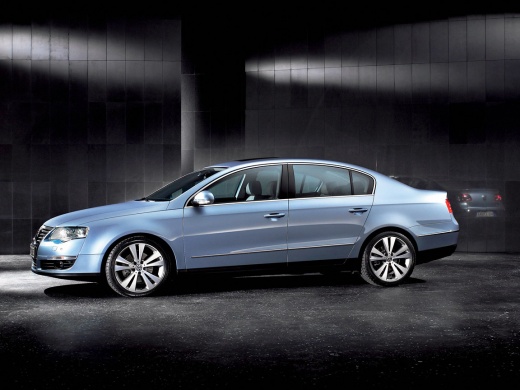
How to Change the Radio in a Volkswagen Passat B6/B7 to an Android Unit
Model: Volkswagen Passat
B6, 3C
- Years:
2005, 2006, 2007, 2008, 2009, 2010
Video tutorial
In this video, learn how to replace the radio in a Volkswagen Passat B6 or B7 with an Android unit. Start by removing the plastic trim surrounding the radio, then take out the four screws securing the radio to its mounts. Now, slide the unit out of its slot and disconnect the electrical connectors. There are countless devices you can use to replace your old radio; one suggestion is the code B07ZF8XCTK on Amazon, priced at £125.90 with free delivery for Prime customers. Regarding installation, the presenter makes it seem quite easy, but in reality, you just need to reconnect the connectors and find a spot for the GPS antenna; it is a plug & play device.
Updated on 24 September 2026 by ScegliAuto
Related tutorials
Volkswagen Passat
(2010-2014 /
B7)
Let's see in this very short video (but it is a really simple operation) how to replace an original Volkswagen radio in a Passat B7 with an Android r…

Volkswagen Passat
(2010-2014 /
B7)
Today we will explain how to quickly and for free obtain the unlock code for the radio of a Volkswagen Passat. The radio unlock code is necessary for…

Volkswagen Passat
(2005-2010 /
B6, 3C)
A car radio, whether it is a model supplied with Volkswagen cars, like the one shown in the video available here, also installed in the Volkswagen Pa…
Other guides you may be interested in |
How to Set the Time in an Audi A4?
In this tutorial, you will see how to set the time in an Audi A4, a very simple and quick operation to perform after replacing the battery or when the time changes. First, insert the key and turn on the instrument cluster. Then, press the "SETUP" button located on the center console. Next, press the upper left arrow button, navigate to the "Time" option, and use the central knob to adjust the clock. Finally, set any necessary formats and save by returning to the main screen. by ScegliAuto More videos
|
|
For advertising on this site Write to info@scegliauto.com
ScegliAuto is not responsible for any inaccuracy of the data in the lists. To report any inaccuracy or your business (if you own the business in question), please write to info@scegliauto.com
Number of seconds to generate the page: 0.011
(c) ScegliAuto 2026 - info@scegliauto.com - Privacy policy VAT number: IT01247470535 |
