
|
Do it yourself
| |||
| ||||


How to Replace a Volkswagen Radio with an Android Radio
Model: Volkswagen Passat
B7
- Years 2010-2014
Let's see in this very short video (but it is a really simple operation) how to replace an original Volkswagen radio in a Passat B7 with an Android radio. Start by removing the chrome trim around the radio unit, then unscrew the four screws around it and take it out of its housing. Disconnect the electrical connectors and the antenna located at the back, and take the new unit you intend to install: online you can find a variety of models suitable for all vehicles and budgets, so no purchase advice is given. Connect the connectors and put the unit back in place: before closing everything, check its functionality, and if it is okay, then you can consider the job complete.
Posted on 3 February 2026 by ScegliAuto
Video tutorial
Related tutorials
Volkswagen Passat
(2010-2014 /
B7)
Today we will explain how to quickly and for free obtain the unlock code for the radio of a Volkswagen Passat. The radio unlock code is necessary for…
Volkswagen Passat
(2005-2010 /
B6, 3C)
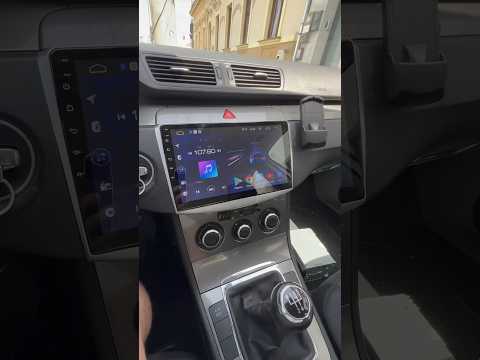
In this video, learn how to replace the radio in a Volkswagen Passat B6 or B7 with an Android unit. Start by removing the plastic trim surrounding th…
Volkswagen Passat
(2005-2010 /
B6, 3C)
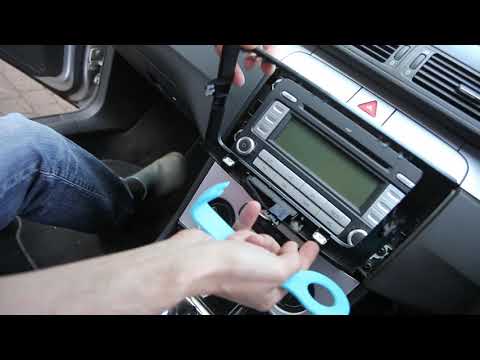
This guide explains how to remove and replace the original radio in the Volkswagen Passat, following these simple steps. First, get inside the vehicl…
Other guides you may be interested in
|
How to reset the tyre pressure warning light on the Dacia Sandero?
To reset the tyre pressure warning light on the Dacia Sandero, inflate all the tyres to the pressure indicated on the label on the driver's door. Once the tyres are inflated, turn on the ignition and navigate through the menu using the controls on the right side of the steering wheel. Scroll with the arrows to find the tyre pressure option: by holding down the OK button located on the right side of the steering wheel, you can reset the warning light. by ScegliAuto More videos
|
|
For advertising on this site Write to info@scegliauto.com
ScegliAuto is not responsible for any inaccuracy of the data in the lists. To report any inaccuracy or your business (if you own the business in question), please write to info@scegliauto.com
Number of seconds to generate the page: 0.101
(c) ScegliAuto 2026 - info@scegliauto.com - Privacy policy VAT number: IT01247470535 |
