
|
Do it yourself
| |||
| ||||


How to replace the VW Passat car radio
Model: Volkswagen Passat
3BG, B5
- Years 1996-2005
Today we will explain how to replace the radio of the Volkswagen Passat model B5. To perform the radio replacement, we must first remove the previous radio. Using hex keys, we unscrew the screws located on the bottom of the radio. We remove the plastic cover and using a Phillips head screwdriver, we unscrew the screws that secure the radio. We then remove the radio and disconnect the antenna wire and connector. We insert the plastic cover into the new radio and connect the entire system to the connector and antenna wire. We then insert the new radio and screw in the screws to secure it.
Posted on 24 June 2025 by ScegliAuto
Video tutorial
Related tutorials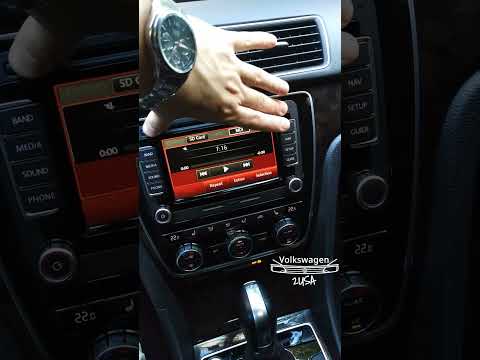
Volkswagen Passat
(2010-2014 /
B7)
To reset the radio of the Volkswagen Passat, turn on the instrument cluster by inserting the key into the ignition switch. Once the cluster is on, pr…

Volkswagen Passat
(2005-2010 /
B6, 3C)
A car radio, whether it is a model supplied with Volkswagen cars, like the one shown in the video available here, also installed in the Volkswagen Pa…

Volkswagen Passat
(2010-2014 /
B7)
In order to reset the radio of the Volkswagen Passat, you need to turn on the instrument panel by inserting the appropriate key into the ignition swi…
Other guides you may be interested in
|
How to Open a Stuck Boot on the Peugeot 407?
On the Peugeot 407, the boot may become stuck, possibly due to a problem with the control button or the lock actuator. In such cases, you can perform an emergency opening by following the simple procedure shown in this tutorial. First, open the rear doors, then lower the seat back by operating the release lever. Next, go inside the boot, locate the lock, and manually operate it using a flathead screwdriver. The boot will then be free to open. by ScegliAuto More videos
|
|
For advertising on this site Write to info@scegliauto.com
ScegliAuto is not responsible for any inaccuracy of the data in the lists. To report any inaccuracy or your business (if you own the business in question), please write to info@scegliauto.com
Number of seconds to generate the page: 0.117
(c) ScegliAuto 2026 - info@scegliauto.com - Privacy policy VAT number: IT01247470535 |
