
|
Do it yourself
| |||
| ||||


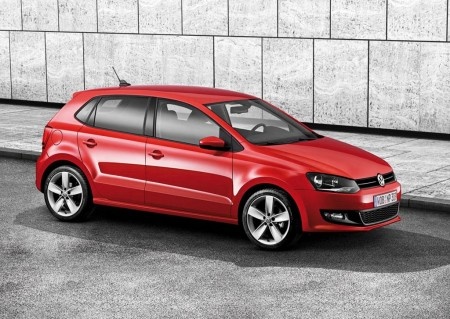
Replacing Stop/Rear Light Bulb on Volkswagen Polo MK3
Model: Volkswagen Polo
6R, Polo V, MK V, Polo 5, MK 5
- Years:
2009, 2010, 2011, 2012, 2013, 2014, 2015, 2016, 2017
Video tutorial
In this video tutorial, you will learn how to remove and replace the bulbs of the rear light on a third series Volkswagen Polo by following these simple steps. First, open the boot lid and remove the carpet-covered side cover to access the back of the light. Then, unscrew the plastic screw of the lamp and extract it from the outside, as shown in the video. At this point, disconnect the electrical connector of the bulbs and open the light by unclipping the side tabs; simply remove the faulty bulb and replace it!
Updated on 3 April 2026 by ScegliAuto
Related tutorials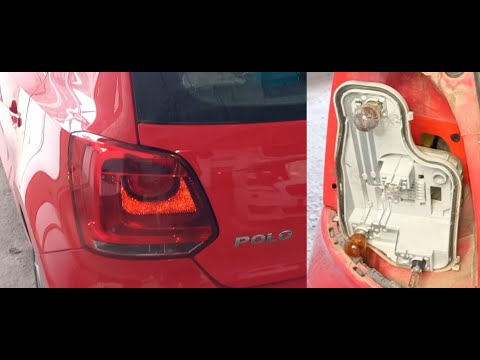
Volkswagen Polo
(2009-2017 /
6R, Polo V, MK V, Polo 5, MK 5)
To replace the rear light bulb on a Volkswagen Polo, open the boot and lift the side carpet in line with the light. Underneath, you will find a pin t…

Volkswagen Polo
(2001-2009 /
Polo IV, MK IV, Polo 4, MK 4, 9N)
To replace the third brake light bulb on a Volkswagen Polo, open the tailgate to access the screws securing the interior trim. Once these screws are …
Volkswagen Polo
(2009-2017 /
6R, Polo V, MK V, Polo 5, MK 5)
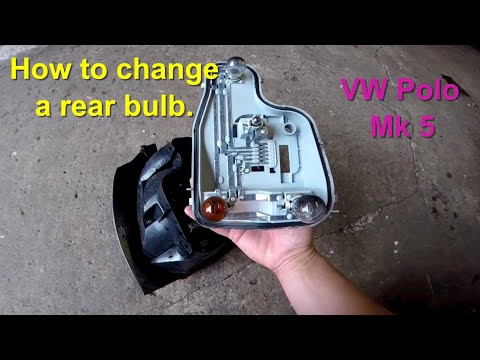
To replace the rear light bulb on a Volkswagen Polo, open the tailgate and then detach the side trim of the boot, corresponding to the light: beneath…
ScegliAuto offers an extensive international collection of automotive tutorials available in 12 languages. Each guide combines instructional videos with original explanations written by experienced human editors, along with information about the car models covered.
Other guides you may be interested in
|
Resetting the Tyre Pressure Monitoring System (TPMS) Light on the Toyota Yaris
These brief and simple steps will show you how to reset the tyre pressure monitoring system (TPMS) light on the Toyota Yaris. Before resetting the light, ensure that all four tyres are at the correct operating pressure. Get inside the vehicle on the driver's side and locate the TPMS reset button found at the bottom left of the dashboard (next to the steering wheel); press and hold it until the TPMS light on the instrument cluster resets, following the video until the end! by ScegliAuto More videos
|
|
For advertising on this site Write to info@scegliauto.com
ScegliAuto is not responsible for any inaccuracy of the data in the lists. To report any inaccuracy or your business (if you own the business in question), please write to info@scegliauto.com
Number of seconds to generate the page: 0.017
(c) ScegliAuto 2026 - info@scegliauto.com - Privacy policy - About us VAT number: IT01247470535 |
