
|
Do it yourself
| |||
| ||||


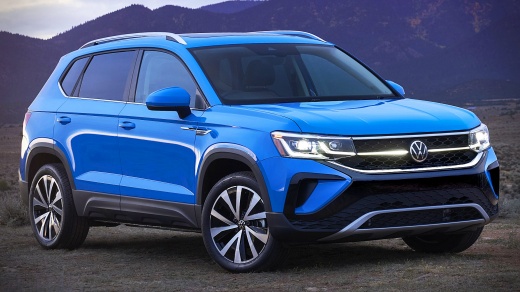
How to Replace the Interior Bulbs on the Volkswagen Taos
Model: Volkswagen Taos
MK 1
- Years:
2021, 2022, 2023, 2024, 2025, 2026
Video tutorial
In today's video tutorial, you will learn how to disassemble and replace the interior bulbs of the Volkswagen Taos cabin in simple and quick steps. First, get inside the vehicle and start by removing the dome lights located next to the roof handles; then, remove the small wedge bulbs and replace them with new ones. Now, disassemble the cabin light fixture by prying on the sides; disconnect the electrical connector to remove it, finally replacing the bulbs in the roof dome light. Replace all other interior bulbs in the same manner!
Updated on 17 May 2026 by ScegliAuto
Related tutorials
Volkswagen Taos
(2021-2026 /
MK 1)
To replace the front turn signal bulb on a Volkswagen Taos, open the hood to access the inside of the headlight. The old bulb will be connected to it…
Volkswagen Taos
(2021-2026 /
MK 1)
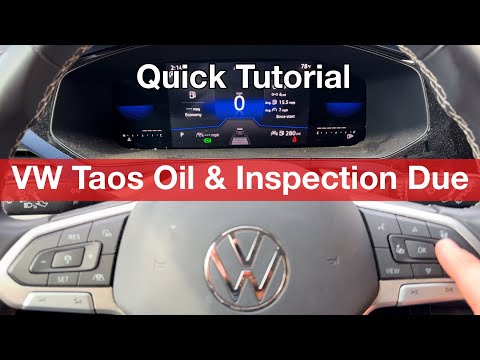
In this mini guide for all Volkswagen Taos owners, we will discover how to manually reset the engine oil light on the instrument panel display. First…

Volkswagen Taos
(2021-2026 /
MK 1)
As shown in the video, if you want to protect the body of your Volkswagen Taos with a seal at the windshield wiper area, first obtain the seal. Clean…
Other guides you may be interested in
|
How to Reset the Tire Pressure Light on a MG ZS?
On the instrument cluster of the MG ZS, the tire pressure light that appears can be reset by inflating the tires to the correct pressure: this value will be indicated on the sticker attached to the driver's door pillar. Once the tires have been properly inflated, you can turn on the instrument cluster and navigate through the menu until you find the option that indicates tire pressure: if this screen shows the new values, the light will turn off; otherwise, you will need to drive for a few miles so that the sensors can read the new values and turn off the light afterward. by ScegliAuto More videos
|
|
For advertising on this site Write to info@scegliauto.com
ScegliAuto is not responsible for any inaccuracy of the data in the lists. To report any inaccuracy or your business (if you own the business in question), please write to info@scegliauto.com
Number of seconds to generate the page: 0.030
(c) ScegliAuto 2026 - info@scegliauto.com - Privacy policy VAT number: IT01247470535 |
