
|
Do it yourself
| |||
| ||||


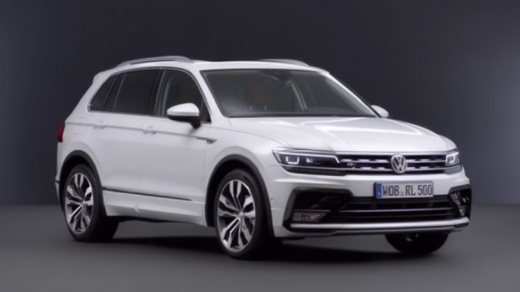
How to Reset the Service Light on a Volkswagen Tiguan
Model: Volkswagen Tiguan
BW, MK 2, AD
- Years 2016-2025
Video tutorial
Detailed instructions - If you have changed the engine oil and the corresponding filter on this vehicle, you need to reset and update the service indicator that has illuminated on the instrument panel. To do this, follow the instructions provided in this description and refer to the images in the video. First, access the cabin and sit in the driver's seat. Then, press the hazard warning light button and simultaneously press the button located at the centre bottom of the instrument panel. After that, turn on the ignition, and the light will turn off.
Updated on 25 May 2026 by ScegliAuto
Related tutorials
Volkswagen Tiguan
(2016-2025 /
BW, MK 2, AD)
Briefly, here are the instructions to reset the service light for the regular maintenance of the engine oil change on the Volkswagen Tiguan. First, g…

Volkswagen Tiguan
(2016-2025 /
BW, MK 2, AD)
In today's article, we will see how to reset the service light on a 2018 Volkswagen Tiguan. It is advisable to perform this procedure only after havi…

Volkswagen Tiguan
(2024-2026 /
MK 3)
Let's see how to reset the service light on our Volkswagen Tiguan; turn on the infotainment system and press the "car" button until the screen with v…
Other guides you may be interested in
|
How to Recline the Rear Seats in a Renault Kwid?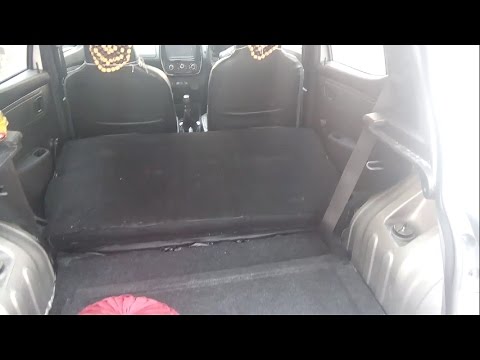
In this tutorial, see how to fully recline the rear seats in a Renault Kwid, a very simple and quick operation to increase space in the trunk. To do this, first enter the vehicle and open the hatch. Then, remove the upper panel and locate the two metal hooks on both sides of the seatback. Next, unlock both by pulling towards you and push the seat forward, lowering it completely. To return the seatback to position, simply pull it towards you and secure it to the two hooks. by ScegliAuto More videos
|
|
For advertising on this site Write to info@scegliauto.com
ScegliAuto is not responsible for any inaccuracy of the data in the lists. To report any inaccuracy or your business (if you own the business in question), please write to info@scegliauto.com
Number of seconds to generate the page: 0.179
(c) ScegliAuto 2026 - info@scegliauto.com - Privacy policy VAT number: IT01247470535 |
