
|
Do it yourself
| |||
| ||||


How to Replace the Key Battery on the Volkswagen Golf 8
Model: Volkswagen Golf
Golf 8, MK 8, Golf Viii
- Years 2019-2026
Replacing the button battery inside the smart key of your Volkswagen Golf Mk8 (2020) is a very simple task that takes only a few seconds to complete. First, take the key and remove the rear cover with your hands. Once done, locate the exhausted battery and remove it as well. Finally, insert the new battery after ensuring its full compatibility with your key and correctly reattach the rear cover. Test the key to ensure it works properly.
Updated on 28 June 2026 by ScegliAuto
Video tutorial
Related tutorials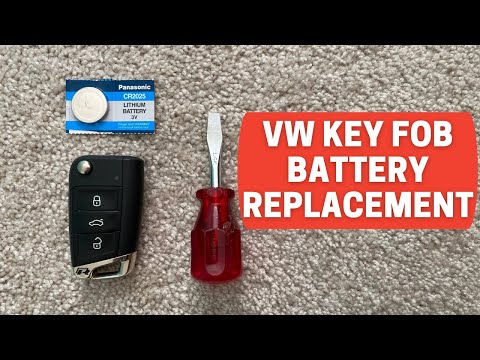
Volkswagen Golf
(2012-2019 /
Golf VII, MK 7, Golf 7)
Start by pressing the button located on the back of the key fob for your Volkswagen Golf to open the physical key. Then, using a flathead screwdriver…

Volkswagen Golf
(1997-2003 /
Golf IV, MK 4, Golf 4)
Today we will explain how to replace the battery of the key remote for the Volkswagen Golf IV on your own. To replace the battery, we need to lift th…
Volkswagen Golf
(2012-2019 /
Golf VII, MK 7, Golf 7)
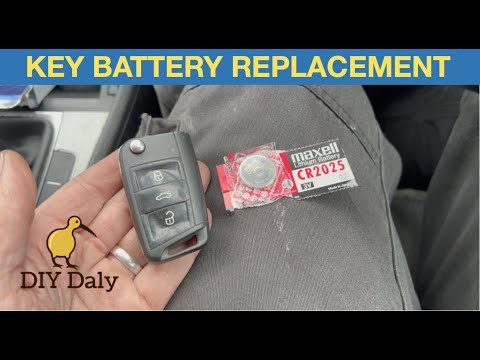
This video tutorial shows the procedure for changing the battery in the key of the Volkswagen Golf 7. The battery to be inserted into the key is a CR…
Other guides you may be interested in
|
Where is the Spare Wheel in the Peugeot 5008?
This video shows where the spare wheel is located in the Peugeot 5008 and how to access it, useful in case of a puncture. As shown, the wheel is not in the usual boot compartment but underneath it, outside the vehicle. To free the wheel, first gather the tools provided, then open the boot, locate the small indicated hatch, and open it. Next, loosen the bolt just released using the large socket wrench enough to lower the wheel to the ground. by ScegliAuto More videos
|
|
For advertising on this site Write to info@scegliauto.com
ScegliAuto is not responsible for any inaccuracy of the data in the lists. To report any inaccuracy or your business (if you own the business in question), please write to info@scegliauto.com
Number of seconds to generate the page: 0.355
(c) ScegliAuto 2026 - info@scegliauto.com - Privacy policy VAT number: IT01247470535 |
