
|
Do it yourself
| |||
| ||||


How to Insert Radio Station Logos on the Volkswagen Golf Radio
Model: Volkswagen Golf
MK 6, Golf VI, Golf 6, 5K1
- Years 2008-2012
In this video, learn how to insert radio station logos on a Volkswagen radio: go to setup, and click on "station logos". If there is a radio that does not display the logo, click on it and the system will ask where to source the logo, which will be a photo in .jpg format. You can choose USB or SD card. You will need to search for it online and download it onto this medium; then insert the chosen medium and load it. Alternatively, press and hold the "menu" button, a submenu will open where you will click on "software update" then "update" and from here return to search for the source from which you want to load your logo, just like before.
Updated on 2 August 2026 by ScegliAuto
Video tutorial
Related tutorials
Volkswagen Golf
(2003-2008 /
MK 5, Golf 5, Golf V)
Today's instructions will show us how to find and enter the radio code for the Volkswagen Golf, in simple steps. First, we get into the car and start…

Volkswagen Golf
(1991-1997 /
Golf III, MK 3, Golf 3)
The instructions provided in this guide will show us how to disassemble and replace the stock radio of the Volkswagen Golf, as well as the Jetta. Fir…
Volkswagen Golf
(2012-2019 /
Golf VII, MK 7, Golf 7)
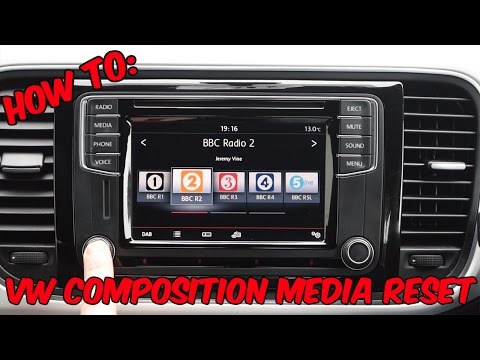
To reset a "composition media" radio in a Volkswagen, this video is demonstrated on a Volkswagen Golf, but it can be found in other Volkswagen group …
Other guides you may be interested in |
How to reset the tire pressure sensor of the Hyundai Tucson
Below we will discover the instructions that will allow us to reset the tire pressure warning light (TPMS) of the Hyundai Tucson. First of all, we get into the car and turn on the instrument panel; then we go to the vehicle settings until we reach the tire pressure monitor, identifying the tire with the incorrect pressure. At this point, we proceed to restore all tire pressures, following the pattern indicated on the label; in this way the TPMS system will be reset and the warning light will be reset by the instrument panel! by ScegliAuto More videos
|
|
For advertising on this site Write to info@scegliauto.com
ScegliAuto is not responsible for any inaccuracy of the data in the lists. To report any inaccuracy or your business (if you own the business in question), please write to info@scegliauto.com
Number of seconds to generate the page: 0.243
(c) ScegliAuto 2026 - info@scegliauto.com - Privacy policy VAT number: IT01247470535 |
