
|
Do it yourself
| |||
| ||||


How to Set the Clock on a Volkswagen Golf?
Model: Volkswagen Golf
Golf IV, Golf 4, MK 4
- Years:
1997, 1998, 1999, 2000, 2001, 2002, 2003
Video tutorial
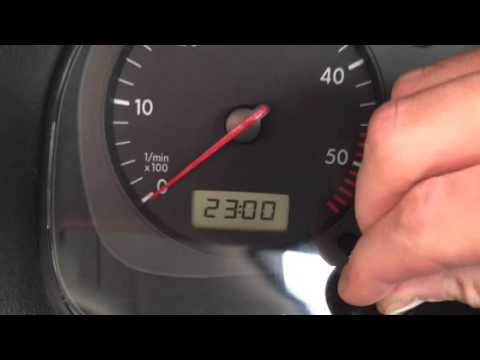
To adjust the clock on a Volkswagen Golf, turn on the ignition by inserting the key into the ignition switch. Once the dashboard lights up, use the button located on the left side of the instrument panel. Rotate it anti-clockwise to change the hours; conversely, rotating it clockwise will change the minutes. Once the correct time is set, turn off the ignition. When you turn it back on, check that the change has been made correctly.
Updated on 2 August 2026 by ScegliAuto
Related tutorials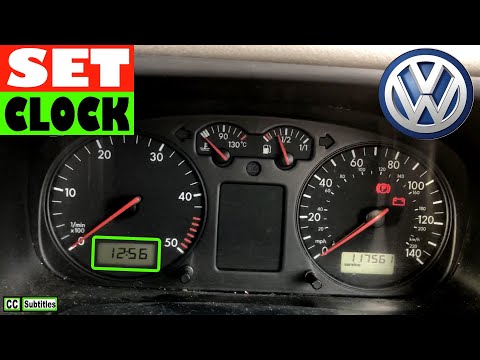
Volkswagen Golf
(1997-2003 /
Golf IV, Golf 4, MK 4)
To set the clock on a Volkswagen Golf, turn the ignition key in the ignition switch to power up the instrument cluster. Once the cluster is on, use t…

Volkswagen Golf
(1997-2003 /
Golf IV, Golf 4, MK 4)
To adjust the clock in the Volkswagen Golf, turn on the instrument panel by inserting the key into the ignition and turning it: once the panel is on,…
Volkswagen Golf
(1997-2003 /
Golf IV, Golf 4, MK 4)
To set the clock on a Volkswagen Golf, turn on the instrument panel by turning the key in the ignition switch: once it is on, you can use the button …
Other guides you may be interested in
|
How to Open the Bonnet of a Toyota C-HR
To open the bonnet of a Toyota C-HR, get inside the vehicle and lift the lever with the bonnet symbol located under the steering wheel. After lifting the lever, you will notice that the bonnet rises a few centimetres. Position yourself in front of the bonnet, insert your hand into the gap, and move the small internal lever from right to left, then lift the bonnet. You can keep the bonnet open during maintenance by positioning it on the support rod. To close the bonnet, remove the support rod and let it drop back down. by ScegliAuto More videos
|
|
For advertising on this site Write to info@scegliauto.com
ScegliAuto is not responsible for any inaccuracy of the data in the lists. To report any inaccuracy or your business (if you own the business in question), please write to info@scegliauto.com
Number of seconds to generate the page: 0.147
(c) ScegliAuto 2026 - info@scegliauto.com - Privacy policy VAT number: IT01247470535 |
