
|
Do it yourself
| |||
| ||||


How to Customize the Manufacturer's Emblem on the Volkswagen Gol
Model: Volkswagen Gol
5U, G5
- Years 2008-2023
In this video, we will see how to easily customize the manufacturer's emblem on the Volkswagen Gol. In this version, the operation is particularly simple because the metal emblem is press-fit onto the support, so with a slight pressure from a screwdriver, it comes off easily. At this point, just choose the color with which we want to paint our emblem. In this case, both the front and rear emblems will be an aggressive glossy black. Let it dry well, and after cleaning both supports thoroughly, reposition the emblems onto their respective supports. The job is done.
Updated on 5 August 2026 by ScegliAuto
Video tutorial
Related tutorials
Volkswagen Gol
(2008-2023 /
5U, G5)
The fuses in the Volkswagen Gol are located inside the designated fuse boxes installed in the vehicle. In this type of car, you can find two fuse box…

Volkswagen Gol
(2008-2023 /
5U, G5)
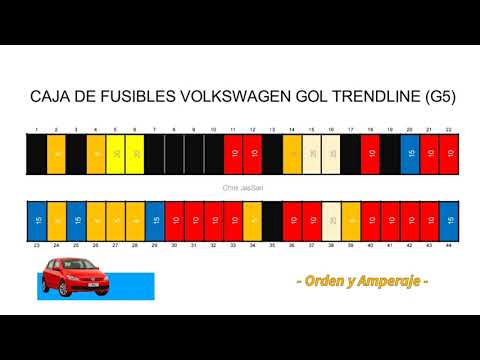
The fuse boxes installed in the Volkswagen Gol contain the fuses that control the operation of various devices: in this type of car, you will find tw…
Volkswagen Gol
(2008-2023 /
5U, G5)
Each fuse on a Volkswagen Gol is located inside one of the fuse boxes installed in the vehicle: this type of car has two fuse boxes. The first is loc…
Other guides you may be interested in
|
How to Reset the Tyre Pressure Light on the Opel Grandland X
While driving, if you notice the tyre pressure warning light coming on, first check the actual inflation pressure of the tyres and, if necessary, restore the pressures recommended by the manufacturer. After restoring the correct pressures, you need to reset the warning light that has illuminated on the instrument cluster. To do this, locate the reset button on the lower central console. Press this button and hold it down for at least 3 seconds, after which the low pressure indication will turn off. by ScegliAuto More videos
|
|
For advertising on this site Write to info@scegliauto.com
ScegliAuto is not responsible for any inaccuracy of the data in the lists. To report any inaccuracy or your business (if you own the business in question), please write to info@scegliauto.com
Number of seconds to generate the page: 0.093
(c) ScegliAuto 2026 - info@scegliauto.com - Privacy policy VAT number: IT01247470535 |
