
|
Do it yourself
| |||
| ||||


How to Reset the Infotainment System of the Volkswagen ID.3
Model: Volkswagen Id 3
MK 1
- Years 2019-2026
In today's video, discover how the infotainment system of the Volkswagen ID.3 works and how to reset it. First, turn on the vehicle's ignition and then move to the central part of the console. Locate the power button, which is the middle of the three, then press and hold it for about twenty seconds. Once the screen goes off, you can release it. After about thirty seconds, the system will have completed its reboot, and you can use it normally again. It is also advisable to check the settings for any updates that need to be applied to the system.
Updated on 9 August 2026 by ScegliAuto
Video tutorial
Related tutorials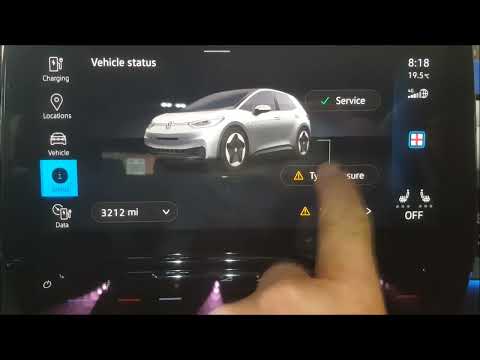
Volkswagen Id 3
(2019-2026 /
MK 1)
If your Volkswagen ID.3 indicates a tyre problem with a yellow warning light showing a deflated tyre with an exclamation mark in the centre, the firs…
Volkswagen Id 3
(2019-2026 /
MK 1)
If you notice malfunctions in the multimedia system of your vehicle, you can watch this video and read the instructions below to perform a reset and …

Volkswagen Id 3
(2019-2026 /
MK 1)
In this video we see how to change the battery of the Volkswagen ID3 remote control: it must be disassembled from the side where the Volkswagen logo …
Other guides you may be interested in
|
How to reset the tyre pressure warning light on a Hyundai Tucson
Below are the instructions to reset the tyre pressure warning light (TPMS) on a Hyundai Tucson. First, get into the vehicle and turn on the instrument cluster; then navigate to the vehicle settings until you reach the tyre pressure monitor, identifying the tyre with incorrect pressure. At this point, restore all tyre pressures according to the specifications indicated on the label; this will reset the TPMS and the warning light will be cleared from the instrument cluster! by ScegliAuto More videos
|
|
For advertising on this site Write to info@scegliauto.com
ScegliAuto is not responsible for any inaccuracy of the data in the lists. To report any inaccuracy or your business (if you own the business in question), please write to info@scegliauto.com
Number of seconds to generate the page: 0.098
(c) ScegliAuto 2026 - info@scegliauto.com - Privacy policy VAT number: IT01247470535 |
