
|
Do it yourself
| |||
| ||||


Resetting the Service Light on the Volkswagen Crafter
Model: Volkswagen Crafter
SZ, SY, MK 2
- Years 2017-2026
Before reaching the mileage required for the service on the Volkswagen Crafter, a message appears on the central display to remind you. Perform the necessary operations to reset the notification system. Press and hold the "0.0/set" button, located between the two instruments, turn on the ignition, when prompted to reset, release the button and press it briefly, then turn off the ignition. Activate the hazard lights, press the button and turn on the ignition, when the reset prompt appears, release the button and press it again to complete the reset.
Updated on 12 September 2026 by ScegliAuto
Video tutorial
Related tutorials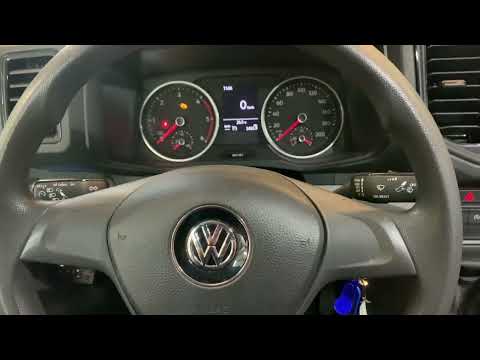
Volkswagen Crafter
(2017-2026 /
SZ, SY, MK 2)
In this guide for all 2019 Volkswagen Crafter owners, discover how to correctly reset the service light (ESP) without using any professional tools. F…

Volkswagen Crafter
(2006-2017 /
2E, 2F, MK 1)
In this short guide, we will see the procedure for resetting the maintenance light of the Volkswagen Crafter, in simple steps. First of all, we get i…

Volkswagen Crafter
(2006-2017 /
2E, 2F, MK 1)
In this guide, you will find instructions to reset the service and routine maintenance light on the Volkswagen Crafter. First, get inside the cabin a…
Other guides you may be interested in
|
How to change the time on a Toyota Yaris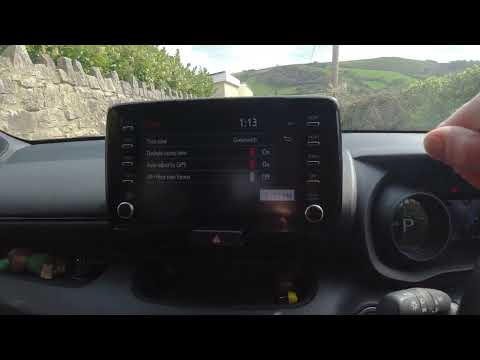
In this video we see how to change the time on a Toyota Yaris, specifically when it comes to switching from daylight saving time to standard time and vice versa. We go to the multifunction screen and press "settings": from there we go to press the clock, simply click on daylight saving time, and the clock will change the time for us, without doing anything else. All we want to do is just adjust the time format to 12 or 24 hours, as is customary in the area where we live: for example in Anglo-Saxon countries it is common to set the time to 12 hours, while in the European Union it is normally set to 24 hours. by ScegliAuto More videos
|
|
For advertising on this site Write to info@scegliauto.com
ScegliAuto is not responsible for any inaccuracy of the data in the lists. To report any inaccuracy or your business (if you own the business in question), please write to info@scegliauto.com
Number of seconds to generate the page: 0.062
(c) ScegliAuto 2026 - info@scegliauto.com - Privacy policy VAT number: IT01247470535 |
