
|
Do it yourself
| |||
| ||||


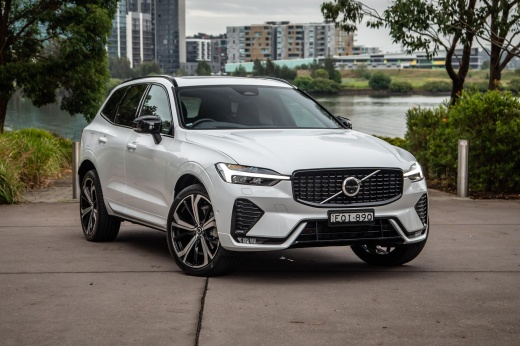
How to replace the battery of the Volvo XC60 remote control?
Model: Volvo Xc60
MK 2
- Years:
2017, 2018, 2019, 2020, 2021, 2022, 2023, 2024, 2025, 2026
Video tutorial
In this tutorial we can see how to replace the battery of the Volvo XC60 remote control, an extremely simple and quick operation. To do this, we will need a replacement battery of type CR2032 and a small screwdriver with a flat tip. First, press the button on the metal ring, then remove the back cover, press the second indicated button, and remove the front cover. Next, open the circular cap, remove the old battery by levering it out, and insert the replacement battery, ensuring correct polarity. To reassemble everything, simply follow the reverse procedure.
Posted on 9 December 2024 by ScegliAuto
Related tutorials
Volvo Xc60
(2017-2026 /
MK 2)
To replace the battery in the key fob for the Volvo XC60, use a tool to pry open the front and back covers of the key fob shell. Once these covers ar…

Volvo Xc60
(2017-2026 /
MK 2)
In this tutorial, you will see how to replace the remote battery in a Volvo XC60, an extremely simple and quick operation. For this, you will need a …

Volvo Xc60
(2008-2016 /
MK 1)
In this tutorial, you will see how to replace the battery in the remote for a Volvo XC60, a very simple and quick operation. You will need a small fl…
Other guides you may be interested in |
How to Reset the Tire Pressure Light on a MG ZS?
On the instrument cluster of the MG ZS, the tire pressure light that appears can be reset by inflating the tires to the correct pressure: this value will be indicated on the sticker attached to the driver's door pillar. Once the tires have been properly inflated, you can turn on the instrument cluster and navigate through the menu until you find the option that indicates tire pressure: if this screen shows the new values, the light will turn off; otherwise, you will need to drive for a few miles so that the sensors can read the new values and turn off the light afterward. by ScegliAuto More videos
|
|
For advertising on this site Write to info@scegliauto.com
ScegliAuto is not responsible for any inaccuracy of the data in the lists. To report any inaccuracy or your business (if you own the business in question), please write to info@scegliauto.com
Number of seconds to generate the page: 0.047
(c) ScegliAuto 2026 - info@scegliauto.com - Privacy policy VAT number: IT01247470535 |
