
|
Do it yourself
| |||
| ||||


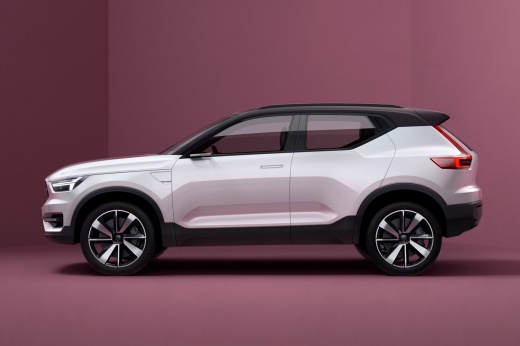
How to Reset the Tire Pressure Warning Light on a Volvo XC40
Model: Volvo Xc40
MK 1
- Years:
2017, 2018, 2019, 2020, 2021, 2022, 2023, 2024, 2025, 2026
Video tutorial
Resetting the tire pressure warning light on a Volvo XC40 is quick and easy. Reset it only after adjusting all tires to the correct pressure listed in the owner's manual. First, get inside the vehicle, insert the key, and turn on the instrument panel. Open the main menu on the touchscreen, then select "Car Status," "TPMS," and "Store Pressure" to reset the system. Restart the vehicle to complete the procedure.
Updated on 24 November 2026 by ScegliAuto
Related tutorials
Volvo Xc40
(2017-2026 /
MK 1)
To reset the tire pressure warning light on the Volvo XC40, you need to inflate the tires until they reach the recommended pressure value: this value…

Volvo Xc40
(2017-2026 /
MK 1)
Today, let's go over how to reset the service light for the regular maintenance oil change on the Volvo XC40. First, get in the vehicle and press and…

Volvo Xc40
(2017-2026 /
MK 1)
Today, you will learn how to reset the maintenance light for the regular oil change service on a Volvo XC40 using a diagnostic tool. First, get insid…
ScegliAuto offers an extensive international collection of automotive tutorials available in 12 languages. Each guide combines instructional videos with original explanations written by experienced human editors, along with information about the car models covered.
Other guides you may be interested in
|
How to replace the bulb or high-level brake light on a Dacia Sandero
Follow these instructions to remove and replace the bulbs or the high-level brake light on a Dacia Sandero. Move to the rear of the vehicle and use a thin tool to carefully prise out the side of the high-level brake light unit. Disconnect the bulb electrical connector to replace the bulbs or the complete unit, as shown in the video. Reconnect the wiring and check that the brake lights work before securing the unit to the bodywork. by ScegliAuto More videos
|
For advertising on this site Write to info@scegliauto.com
ScegliAuto is not responsible for any inaccuracy of the data in the lists. To report any inaccuracy or your business (if you own the business in question), please write to info@scegliauto.com
Number of seconds to generate the page: 0.134
(c) ScegliAuto 2026 - info@scegliauto.com - Privacy policy - About us VAT number: IT01247470535 |
