
|
Do it yourself
| |||
| ||||


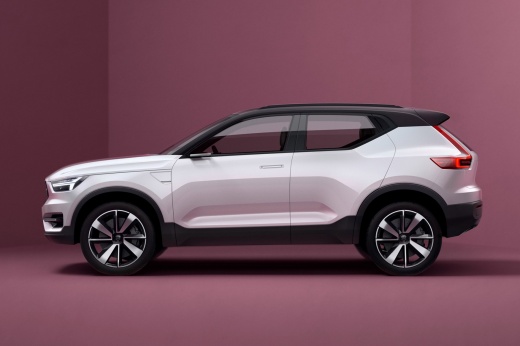
How to Replace the Key Fob Battery on a Volvo XC40
Model: Volvo Xc40
- Years:
2017, 2018, 2019, 2020, 2021, 2022, 2023, 2024, 2025, 2026
Video tutorial
If you own a Volvo XC40 and the car's key fob has suddenly stopped working, pay attention to the following guide on how to replace the battery. First, purchase a new CR2032 battery. Then, remove the protective cover of the key fob completely. Once the protective cover is removed, locate the battery you want to replace and complete the operation. After that, simply reassemble the cover correctly, and the procedure is complete. Test the key fob to ensure it works, and you're done.
Posted on 11 October 2026 by ScegliAuto
Related tutorials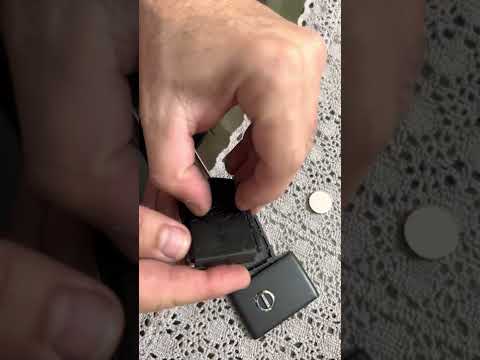
Volvo Xc40
(2017-2026 /
MK 1)
Today, with the help of this short video tutorial, follow these steps to replace the battery in the remote/key fob of the Volvo XC40. The first step …

Volvo Xc40
(2017-2026 /
MK 1)
In this tutorial we can see how to replace the battery of the Volvo XC40 remote control, an extremely simple and fast operation. To do this, we will …

Volvo Xc40
(2017-2026 /
MK 1)
Replacing the remote control battery of the Volvo XC40, as we can see in this tutorial, is an extremely simple and quick operation. To do this, we wi…
Other guides you may be interested in
|
Location of the Jack and Spare Wheel of the Toyota Yaris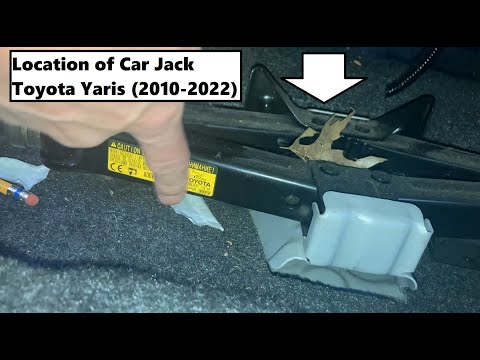
In the unfortunate event that one of the wheels of the Toyota Yaris is punctured, it is useful to know the location of the lifting jack, the spare wheel, the tool to operate the jack, and to unscrew the wheel bolts. The jack is located under the driver's seat, secured to a bracket and protected by a plastic cover, which you can remove by acting on the fixing clips. The spare wheel is located under the floor panel of the boot, secured to the floor by a threaded plastic flange, alongside which you will find the tool, consisting of a bent bar, which is used to operate the jack on one side and to remove the wheel on the other. by ScegliAuto More videos
|
|
For advertising on this site Write to info@scegliauto.com
ScegliAuto is not responsible for any inaccuracy of the data in the lists. To report any inaccuracy or your business (if you own the business in question), please write to info@scegliauto.com
Number of seconds to generate the page: 0.169
(c) ScegliAuto 2026 - info@scegliauto.com - Privacy policy VAT number: IT01247470535 |
