
|
Do it yourself
| |||
| ||||


Resetting the service light on the Volvo XC90
Model: Volvo Xc90
MK 2
- Years 2015-2026
The following steps will show us how to reset the service maintenance light for the oil change of the Volvo XC90. First, we get into the car and start the instrument panel; we position ourselves on the Trip T2 option, as shown in the video. At this point, we turn off the panel and hold down the "ok" button on the end of the left lever, turning on the instrument panel; we wait for the service light to flash until it completely resets on the instrument panel, completing the maintenance reset operation!
Posted on 4 November 2025 by ScegliAuto
Video tutorial
Related tutorials
Volvo Xc90
(2002-2014 /
MK 1)
To reset the Service light on the Volvo XC90, you need to press and hold the button located on the left side of the instrument panel while it is turn…

Volvo Xc90
(2002-2014 /
MK 1)
In order to reset the Service light that is shown on the instrument panel of the Volvo XC90, you need to hold down the TRIP button located on the lef…

Volvo Xc90
(2015-2026 /
MK 2)
It will be possible to reset the Service light that appears on the instrument panel of the Volvo XC90 by holding down the button - located on the lef…
Other guides you may be interested in
|
How to Remove the Front Bumper of the Citroën C4 Picasso?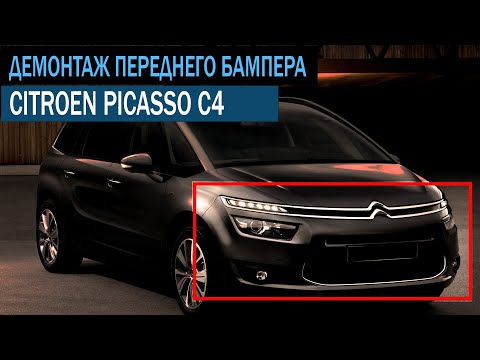
To remove the front bumper of the Citroën C4 Picasso, you need to take out all the rivets and screws that secure the piece to its housing: these screws are located inside the wheel arches of the front wheels and at the central upper part of the bumper itself. Once all these fastening elements have been removed, you can detach the bumper from its seat by disconnecting the connectors inside and then insert the new replacement part. The new part can then be secured and connected properly, ensuring it is correctly fixed in place. by ScegliAuto More videos
|

|
For advertising on this site Write to info@scegliauto.com
ScegliAuto is not responsible for any inaccuracy of the data in the lists. To report any inaccuracy or your business (if you own the business in question), please write to info@scegliauto.com
Number of seconds to generate the page: 0.049
(c) ScegliAuto 2026 - info@scegliauto.com - Privacy policy VAT number: IT01247470535 |
