
|
Do it yourself
| |||
| ||||


How to Remove the "V-Belt" Warning Light on a Yamaha X-MAX 250 Scooter?
Model: Yamaha Xmax 250
Video tutorial
In this tutorial, you will see how to remove the "V-Belt" warning light that has appeared on the dashboard of your Yamaha X-MAX 250 scooter. Before performing this operation, ensure you have completed the required maintenance, specifically the replacement of the drive belt. Start by inserting the key and turning on the ignition, then move to the front of the scooter. From inside the wheel arch, using a torch, locate the white connector indicated, which has a jumper inserted. Once found, disconnect the jumper for about 10 seconds, reconnect it, and check that the warning light has disappeared.
Updated on 7 July 2026 by ScegliAuto
Related tutorials
Xmax 250
To reset the V-Belt light on the Yamaha Xmax 250, turn on the instrument panel by rotating the key in the ignition switch. Once the panel is on, pull…

Xmax 250
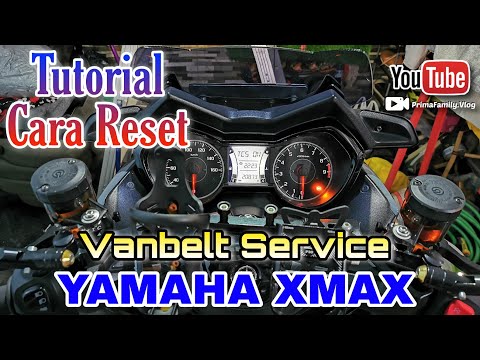
.. indicator for the drive belt on the Yamaha XMAX 250 scooter, indicated by the V-BELT warning light. Before proceeding, ensure you have completed.. …
Xmax 250
On the Yamaha Xmax 250, to reset the V-Belt light, insert the key into the ignition switch and turn it to switch on the instrument cluster. To reset …
|
How to Replace the Headlight Bulb of a Triumph Speed Twin?
To replace the headlight bulb of the Triumph Speed Twin, you need to loosen the screws that secure the headlight unit in place: these screws will be located at the bottom right and bottom left of the headlight unit. Once these are loosened, you can proceed to pull the headlight from its housing and disconnect the connectors inside: the corresponding bulb can now be extracted from inside the headlight unit, allowing you to insert the new one, remounting all the parts you just removed. by ScegliAuto More videos
|
|
For advertising on this site Write to info@scegliauto.com
ScegliAuto is not responsible for any inaccuracy of the data in the lists. To report any inaccuracy or your business (if you own the business in question), please write to info@scegliauto.com
Number of seconds to generate the page: 0.010
(c) ScegliAuto 2026 - info@scegliauto.com - Privacy policy VAT number: IT01247470535 |
