
|
Do it yourself
| |||
| ||||


How to reset the Oil Change light on the Yamaha Xmax 400?
Model: Yamaha Xmax 400
Video tutorial
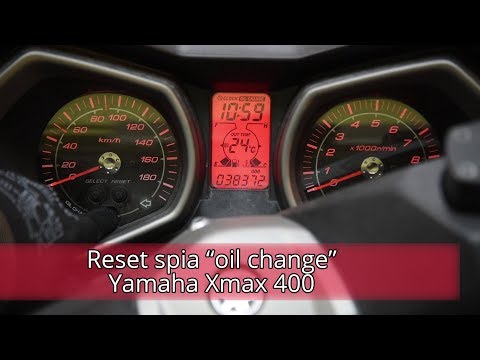
On the Yamaha Xmax 400, to reset the Oil Service light, turn on the ignition by turning the key in the ignition switch. Once the dashboard is lit up, pull the lever located at the base of the right handlebar, labelled TRIP. Keep this lever pulled up until the Oil Change light starts flashing and then turns off completely. Once the light is fully reset, turn off the dashboard to complete the process.
Updated on 30 September 2026 by ScegliAuto
Related tutorials
Xmax 400
To reset the Oil Change light on a Yamaha Xmax 400, turn on the ignition by inserting the key into the ignition switch. Once the ignition is on, pull…
Xmax 400
In this tutorial, you will see how to reset the oil change light on a Yamaha XMAX 400 scooter, a very simple and quick operation, to be performed onl…

Xmax 400
The Oil Change warning light that appears on the instrument panel of the Yamaha Xmax 400 can be reset by turning on the instrument panel, turning the…
|
How to Replace the Clutch on the KTM XCF 450?
To replace the clutch on the KTM XCF 450, loosen the screws securing the corresponding cover located on the right side of the bike. Once the cover screws are loosened, you can remove it to access the underlying clutch. By unscrewing the corresponding bolts, you can extract all the discs that make up the clutch, allowing you to insert the new replacement parts. After inserting them, secure them with the corresponding screws and cover everything back up with the cover. by ScegliAuto More videos
|
|
For advertising on this site Write to info@scegliauto.com
ScegliAuto is not responsible for any inaccuracy of the data in the lists. To report any inaccuracy or your business (if you own the business in question), please write to info@scegliauto.com
Number of seconds to generate the page: 0.006
(c) ScegliAuto 2026 - info@scegliauto.com - Privacy policy VAT number: IT01247470535 |
