
|
Do it yourself
| |||
| ||||


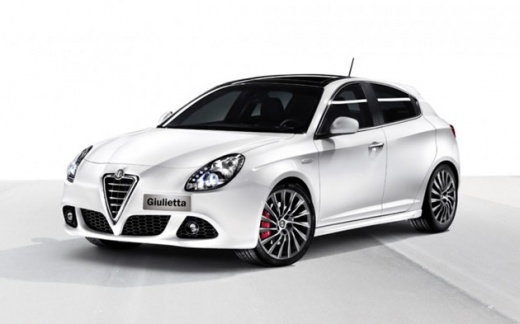
How to Remove the Airbag from the Alfa Romeo Giulietta.
Model: Alfa Romeo Giulietta
MK 1
- Years:
2010, 2011, 2012, 2013, 2014, 2015, 2016, 2017, 2018, 2019, 2020
This video is currently unavailable
To remove the airbag from the Alfa Romeo Giulietta, first disconnect the car battery to avoid short circuits. Then, lift the bonnet and use the metal prop to keep it open. Disconnect the battery cable by pressing the red button. Enter the car, take a flathead screwdriver, and insert it into the sides of the airbag cover in the designated holes (See illustrative video) to loosen the airbag's grip. Once loosened, detach the plastic cover where the Alfa Romeo emblem is located at the centre of the steering wheel. At this point, disconnect the airbag cables using the screwdriver.
Updated on 27 April 2026 by ScegliAuto
Related tutorials
Alfa Romeo Giulietta
(2010-2020 /
MK 1)
The steps outlined in this guide will show you how to disable the front passenger airbag on the Alfa Romeo Giulietta. First, get in the vehicle and s…

Alfa Romeo Giulietta
(2010-2020 /
MK 1)
In this video we see how to insert the passenger airbag on the Alfa Romeo Giulietta: we use the control panel located on the left side of the steerin…

Alfa Romeo Giulietta
(2010-2020 /
MK 1)
In this video, we see how to behave when the passenger airbag light appears on the instrument panel of our Alfa Romeo Giulietta. It is a problem that…
Other guides you may be interested in
|
How to reset the tyre pressure warning light on the Kia Niro EV?
To reset the tyre pressure warning light on the Kia Niro EV, inflate the tyres until they reach the correct pressure value. This value is indicated on the sticker attached to the driver's door pillar. Once the tyres are inflated, turn on the instrument cluster to check that the warning light has completely disappeared from the display. If it is still present, you may need to drive for a few miles to ensure it disappears completely from the screen. by ScegliAuto More videos
|
|
For advertising on this site Write to info@scegliauto.com
ScegliAuto is not responsible for any inaccuracy of the data in the lists. To report any inaccuracy or your business (if you own the business in question), please write to info@scegliauto.com
Number of seconds to generate the page: 0.059
(c) ScegliAuto 2026 - info@scegliauto.com - Privacy policy VAT number: IT01247470535 |
