
|
Do it yourself
| |||
| ||||


Timing Belt Replacement
Model: Alfa Romeo 156
MK 1
- Years:
1997, 1998, 1999, 2000, 2001, 2002, 2003, 2004, 2005, 2006, 2007
Video tutorial
The timing belt itself is moderately priced, but it is common to replace several associated components that are particularly prone to wear when replacing the belt. This includes the bearings on which the belt runs, the water pump, the auxiliary belt, the balance shaft belt, and their respective bearings. In fact, the author of the video explains in this video (in Dutch) that he does not replace the water pump as it was recently replaced. However, the need to replace various components and the labour costs explain why a mechanic may charge significant amounts for what is, in essence, an economical part. The car on which the operation is performed is an Alfa Romeo 156 1.8 TwinSpark 16v.
Updated on 1 February 2026 by ScegliAuto
Related tutorials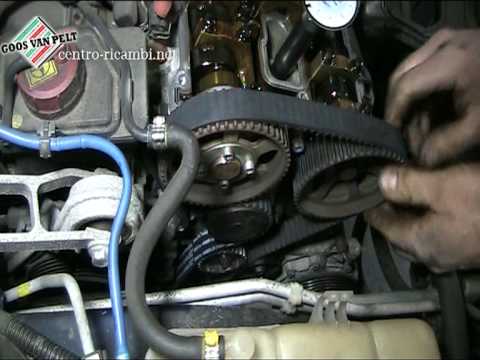
Alfa Romeo 156
(1997-2007 /
MK 1)
Learn how to remove and replace the timing belt on an Alfa Romeo 156 1.8 TwinSpark 16 valve by following these main instructions. First, lift the veh…
Alfa Romeo 156
(1997-2007 /
MK 1)
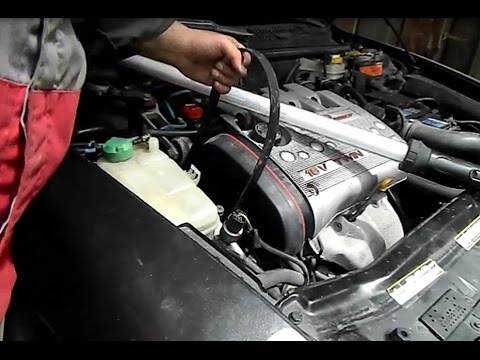
Replace the timing belt on an Alfa Romeo 156 if you have exceeded the mileage indicated in the manual. Remove the front wheel and the right wheel arc…

Alfa Romeo 156
(1997-2007 /
MK 1)
To perform this specific operation, you will need to remove the right wheel for better access and space during the work. Next, lift the bonnet to acc…
Other guides you may be interested in
|
How to reset the tyre pressure warning light on the Kia Niro EV?
To reset the tyre pressure warning light on the Kia Niro EV, inflate the tyres until they reach the correct pressure value. This value is indicated on the sticker attached to the driver's door pillar. Once the tyres are inflated, turn on the instrument cluster to check that the warning light has completely disappeared from the display. If it is still present, you may need to drive for a few miles to ensure it disappears completely from the screen. by ScegliAuto More videos
|
|
For advertising on this site Write to info@scegliauto.com
ScegliAuto is not responsible for any inaccuracy of the data in the lists. To report any inaccuracy or your business (if you own the business in question), please write to info@scegliauto.com
Number of seconds to generate the page: 0.030
(c) ScegliAuto 2026 - info@scegliauto.com - Privacy policy VAT number: IT01247470535 |
