
|
Do it yourself
| |||
| ||||


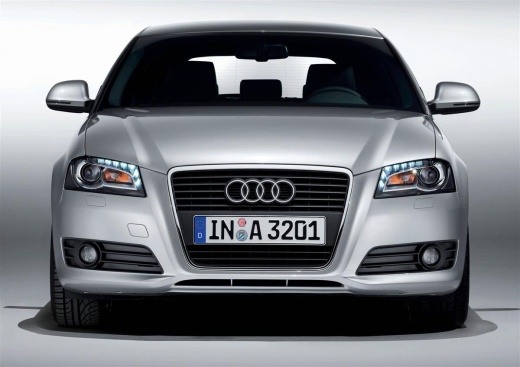
How do you replace the rear brake pads of the Audi A3?
Model: Audi A3
8P, MK 2
- Years:
2003, 2004, 2005, 2006, 2007, 2008, 2009, 2010, 2011, 2012, 2013
Video tutorial
In order to replace the rear brake pads of the Audi A3, you need to lift the car so that the rear wheels can be removed from the corresponding hub: to do this, you will need to loosen all the screws that secure the wheel so that the corresponding disc can be identified on the back. Here you can locate the brake caliper, which will need to be detached from its seat by loosening the screws that secure it: this way you will be able to remove the pads located on the inside and replace them with a new spare part. After the replacement, you can check that everything is functioning correctly.
Posted on 12 April 2025 by ScegliAuto
Related tutorials
Audi A3
(1996-2003 /
MK 1, 8L)
In this article, you will learn how to replace the rear brake pads of the Audi A3 1st series. The tools required are: jack or ramp, wire brush, 13mm …

Audi A3
(2012-2019 /
8V, MK 3)
In order to replace the ventilation nozzles of the Audi A3, you will need to use a tool to pry them out of their housing. Once the internal fixing cl…
Audi A3
(2003-2013 /
8P, MK 2)
In this video tutorial, see how to replace the front brake pads on an Audi A3. The first thing you need to do is purchase new brake pads; the next st…
Other guides you may be interested in
|
How to Reset the Tyre Light on a Toyota Aygo?
To reset the tyre light on a Toyota Aygo, start by locating the reset button, which is found in the glove compartment of the front passenger side. Turn on the car and ensure that the tyres are at the correct pressure. Then, press and hold the reset button for a few seconds until the tyre light either flashes or turns off, depending on the model. Release the button and wait for the reset procedure to complete. Restart your Toyota Aygo and check if the tyre light has turned off, indicating that the reset was successful. by ScegliAuto More videos
|
|
For advertising on this site Write to info@scegliauto.com
ScegliAuto is not responsible for any inaccuracy of the data in the lists. To report any inaccuracy or your business (if you own the business in question), please write to info@scegliauto.com
Number of seconds to generate the page: 0.042
(c) ScegliAuto 2026 - info@scegliauto.com - Privacy policy VAT number: IT01247470535 |
