
|
Do it yourself
| |||
| ||||



How to Install a Dashcam on an Audi A1
Model: Audi A1
8X, MK 1
- Years:
2010, 2011, 2012, 2013, 2014, 2015, 2016, 2017, 2018
Video tutorial
To install a dashcam on an Audi A1, choose the installation point behind the rearview mirror, at the top of the windscreen. Clean the glass with alcohol and apply the adhesive or suction mount, pressing firmly. Attach the dashcam to the mount and adjust the angle. Connect the power cable to the cigarette lighter socket or USB port. Route the cable along the top edge of the windscreen and under the side seals to the socket, hiding it with a plastic lever. Start the vehicle and check that the dashcam powers on and records correctly.
Posted on 27 February 2026 by ScegliAuto
Related tutorials
Audi A1
(2010-2018 /
8X, MK 1)
In this tutorial, you will see how to remove the car radio in an Audi A1, a very simple and quick operation. To do this, you will need two of the spe…
Audi A1
(2010-2018 /
8X, MK 1)
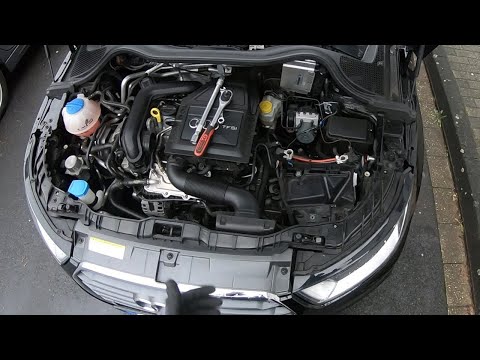
In this video, see how to replace the battery in the Audi A1. First, ensure the key is not inserted, then lift the bonnet and open the battery cover.…

…
Other guides you may be interested in
|
Where are the fuses located on the Renault Laguna?
On the Renault Laguna, the fuses are located inside the fuse boxes installed in the vehicle: in this car model, you will find two boxes for containing the fuses. The first is in the fuse box on the left side of the dashboard, accessible by opening the driver's door: here you will find the fuses for the windscreen wipers, fog lights, horn, etc. The second box is located on the right side of the engine compartment: here you will find the fuses for the dipped headlights, radiator fan, alternator, etc. by ScegliAuto More videos
|
|
For advertising on this site Write to info@scegliauto.com
ScegliAuto is not responsible for any inaccuracy of the data in the lists. To report any inaccuracy or your business (if you own the business in question), please write to info@scegliauto.com
Number of seconds to generate the page: 0.024
(c) ScegliAuto 2026 - info@scegliauto.com - Privacy policy VAT number: IT01247470535 |
