
|
Do it yourself
| |||
| ||||


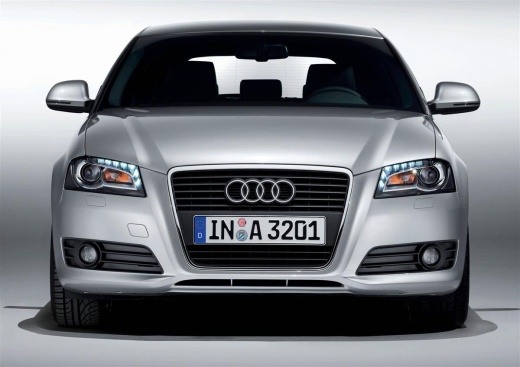
Instructions for Removing the Car Radio
Model: Audi A3
8P, MK 2
- Years:
2003, 2004, 2005, 2006, 2007, 2008, 2009, 2010, 2011, 2012, 2013
Video tutorial
To remove the car radio, you need the appropriate extraction keys (which are easily obtainable): insert them into the four slots corresponding to the four corners with the notches facing inwards; once fully inserted, the fixing springs will disengage, allowing you to pull the car radio forward (be careful not to scratch the surrounding plastics) and disconnect the relevant connectors. In any case, it is advisable to check for any activation code before disconnecting it, as it is necessary for subsequent ignition.
Updated on 7 February 2026 by ScegliAuto
Related tutorials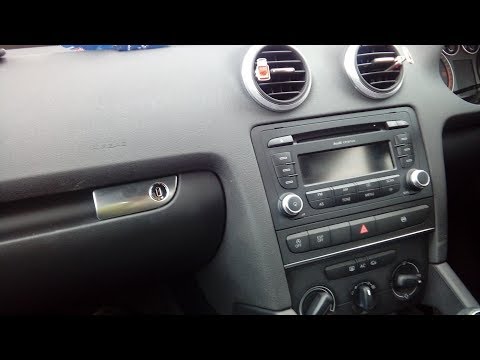
Audi A3
(2003-2013 /
8P, MK 2)
How to dismantle and remove the original radio on Audi A3? Follow this guide to perform the disassembly: switch off the radio, then use the original …

Audi A3
(2003-2013 /
8P, MK 2)
In today's video, we will see the main steps to remove and replace the original radio with an Android one in an Audi A3 8P, following the instruction…

Audi A3
(2003-2013 /
8P, MK 2)
The attached video tutorial could not be a better example of the work mentioned. We are talking about disassembling the central console of the Audi A…
Other guides you may be interested in |
How to Remove the Rear Seat of a Hyundai Tucson?
To remove the rear seat of a Hyundai Tucson, follow these steps. Start by moving the front seats to their most forward position to gain space. Next, locate the release lever on the underside of the rear seat, near the floor. Press this lever down while pulling the seat upwards to unlock it from the anchor pins. Once unlocked, tilt the seat upwards and forwards to remove it from its position. Repeat this process for both sides of the rear seat. Be careful of any electrical cables or components that may be connected to the seat during removal. Once the rear seat is removed, the disassembly is complete. by ScegliAuto More videos
|
|
For advertising on this site Write to info@scegliauto.com
ScegliAuto is not responsible for any inaccuracy of the data in the lists. To report any inaccuracy or your business (if you own the business in question), please write to info@scegliauto.com
Number of seconds to generate the page: 0.099
(c) ScegliAuto 2026 - info@scegliauto.com - Privacy policy VAT number: IT01247470535 |
