
|
Do it yourself
| |||
| ||||


Installing the iPod, iPhone, and Aux Adapter
Model: Audi A6
C6, MK 3
- Years:
2004, 2005, 2006, 2007, 2008, 2009, 2010, 2011, 2012
Video tutorial
This video section explains how to install a Dension adapter (a manufacturer of integration systems for iPod/iPhone in cars) on an Audi A6. Use a plastic trim tool to detach the side panel of the dashboard on the passenger side, which is secured by three clips. Then, using an 8 mm socket, remove the bolt located at the bottom of the panel you just uncovered. Take out the bolt and insert it into the loop of the red power cable, then reattach the bolt. Insert the other end of the cable into the point shown in the video and hide the fuse in the indicated location. Pull the wiring harness and tuck it under the dashboard so you can retrieve the ends by pulling them from inside the glove compartment. Once you have retrieved the end, secure the fuse that you previously hid with a zip tie (trim any excess from the zip tie). Now you can reattach the side panel by snapping it back with its three clips. Now that the wiring is ready, passing the cables through the pre-drilled holes, you can install the Aux box and the USB cable holder. Screw them in from each side to the previously prepared panel. Pass the two cables through the soft structure of the panel. At this point, also remove the lower left side panel on the passenger side and retrieve the cables as indicated in the video.
Updated on 8 February 2026 by ScegliAuto
Related tutorials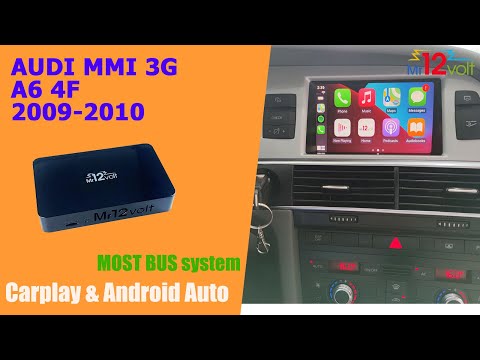
Audi A6
(2004-2012 /
C6, MK 3)
To install the AUX in Audi A6 models produced from 2004 to 2012, you will need to remove some parts of the vehicle's dashboard. As shown in the video…

Audi A6
(1997-2004 /
MK 2, C5)
Using a small flathead screwdriver, detach the trim around the cup holder and the turn signal button. Next, locate the retaining tabs of the cup hold…
Audi A6
(1994-1997 /
C4, MK 1)
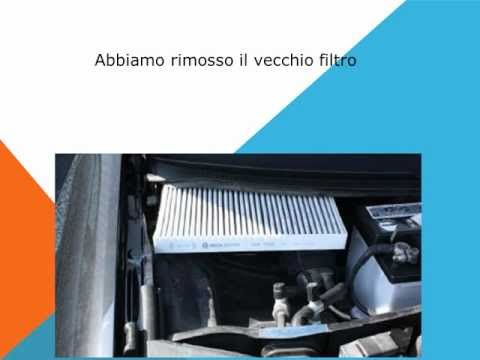
Replacing the cabin air filter is a straightforward procedure that you can do yourself without needing help from a trusted mechanic. The following gu…
Other guides you may be interested in
|
How to Reset the AdBlue Warning Light on a Peugeot Boxer
To reset the AdBlue system on a 2018 Peugeot Boxer, follow these steps: Start the engine and ensure the vehicle is parked in a well-ventilated area. Locate the "MENU" button on the dashboard or steering wheel controls. Press and hold the "MENU" button until the menu options appear on the display. Use the arrow buttons or scroll wheel to access the "Vehicle Settings" or "Settings" menu. Select the "AdBlue" or "AdBlue System" option. Look for the "Recharge" or "Reset" option in the AdBlue menu. Once you find the reset option, select it and confirm your choice when prompted. The system will be reset, and a confirmation message may appear on the display. Turn off the engine and wait a few seconds. Restart the engine and check that the AdBlue system has been reset. by ScegliAuto More videos
|
|
For advertising on this site Write to info@scegliauto.com
ScegliAuto is not responsible for any inaccuracy of the data in the lists. To report any inaccuracy or your business (if you own the business in question), please write to info@scegliauto.com
Number of seconds to generate the page: 0.040
(c) ScegliAuto 2026 - info@scegliauto.com - Privacy policy VAT number: IT01247470535 |
