
|
Do it yourself
| |||
| ||||



How to Connect Your iPhone to the Audi A5
Model: Audi A5
8T8, 8T, 8T3, 8F
- Years:
2007, 2008, 2009, 2010, 2011, 2012, 2013, 2014, 2015, 2016
Video tutorial
To connect your iPhone to the Audi A5's audio system, follow these instructions. First, ensure the car is on, then activate Bluetooth on your smartphone. Select your audio system and enter the code "1234" when prompted for the password. Shortly after, the two devices will start communicating, allowing you to listen to your favourite music from your smartphone directly through the audio system. To disconnect the iPhone, either turn off Bluetooth or simply click on the options and deselect the audio system.
Updated on 6 June 2026 by ScegliAuto
Related tutorials
Audi A5
(2007-2016 /
8T8, 8T, 8T3, 8F)
Need to install the iPod iPhone Aux kit? This guide will explain how to proceed. Obtain four specific plastic removal tools shaped like propellers fr…

Audi A5
(2007-2016 /
8T8, 8T, 8T3, 8F)
To reset the MultiTronic automatic transmission of the Audi A5, you will need to turn on the instrument panel by inserting the ignition key into the …
Audi A5
(2007-2016 /
8T8, 8T, 8T3, 8F)
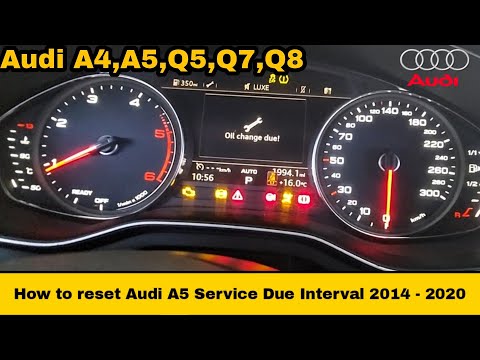
Resetting the service light on an Audi A5 follows the same procedure used for other Audi models, as this is one of the common features of these vehic…
Other guides you may be interested in |
How to Reset the Tyre Pressure Warning Light on the Jeep Renegade?
To reset the tyre pressure warning light on the Jeep Renegade, inflate the tyres until they reach the recommended pressure: this value is indicated on the sticker attached to the driver’s door pillar. Once the tyres are properly inflated, navigate through the menu that appears on the instrument cluster until you find the tyre pressure option. At this point, press and hold the OK button on the right side of the steering wheel to make the warning light disappear. by ScegliAuto More videos
|
|
For advertising on this site Write to info@scegliauto.com
ScegliAuto is not responsible for any inaccuracy of the data in the lists. To report any inaccuracy or your business (if you own the business in question), please write to info@scegliauto.com
Number of seconds to generate the page: 0.012
(c) ScegliAuto 2026 - info@scegliauto.com - Privacy policy VAT number: IT01247470535 |
