
|
Do it yourself
| |||
| ||||


Engine Oil and Filter Replacement
Model: Audi A6
C4, MK 1
- Years:
1994, 1995, 1996, 1997
Video tutorial
Replacing the engine oil and its filter is typical DIY maintenance, but be sure to dispose of the used oil at specialized collection centers. To facilitate this maintenance, lift the vehicle on a lift to easily access the oil pan and filter. Then, position a container to catch the oil and unscrew the drain plug located on the side of the oil pan. After draining, reattach the plug and replace the filter using a socket wrench or a band wrench. Coat the gasket of the new filter with oil and screw it into place without over-tightening. Finally, fill the engine with clean oil until reaching the maximum level.
Updated on 19 February 2026 by ScegliAuto
Related tutorials
Audi A6
(2004-2012 /
C6, MK 3)
Replacing the engine oil and filter is definitely the first maintenance task you learn to do yourself, but be sure to dispose of the used oil properl…

Audi A6
(2011-2018 /
C7, MK 4)
In this video, we can see how to check the engine oil level on an Audi A6 C7 version, through the MMI (Multi Media Interface) system. Using the butto…
Audi A6
(2004-2012 /
C6, MK 3)
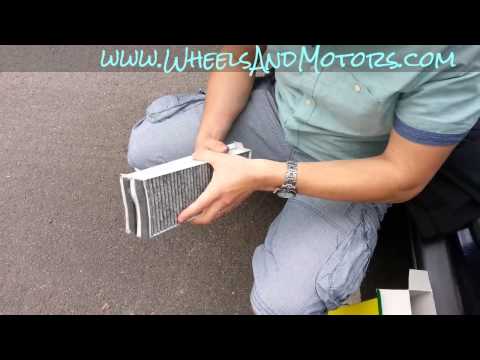
Changing the cabin air filter in your car is very important. The filter protects against external agents that enter the cabin. It is crucial to repla…
Other guides you may be interested in
|
How to reset the tyre pressure warning light on the Dacia Sandero?
The tyre pressure warning light that appears on the instrument cluster of the Dacia Sandero can be reset by inflating the tyres until they reach the correct pressure value: this value is indicated on the sticker attached to the driver’s door pillar. Once the inflation is complete, navigate through the menu that appears on the instrument cluster to find the option related to the tyres: select this with the OK button, which should then be held down for a few seconds to completely turn off the light. by ScegliAuto More videos
|
|
For advertising on this site Write to info@scegliauto.com
ScegliAuto is not responsible for any inaccuracy of the data in the lists. To report any inaccuracy or your business (if you own the business in question), please write to info@scegliauto.com
Number of seconds to generate the page: 0.050
(c) ScegliAuto 2026 - info@scegliauto.com - Privacy policy VAT number: IT01247470535 |
