
|
Do it yourself
| |||
| ||||


How to Reset the Service Light on Audi Q5 8R
Model: Audi Q5
MK 1, 8R
- Years 2008-2017
In this video, you can see how to reset the service light on the Audi Q5 8R: it is a very simple procedure that you can easily follow with the help of the YouTuber. To view the various options on the multimedia screen, use the knob located in the center of the console, just below the gear lever, and the buttons on either side. First, press the "car" button, and then by turning the knob, navigate to the "service interval display" option. Confirm by pressing the center button, which provides all the information regarding the service and immediately gives you the option to reset. Confirm, and the operation is complete.
Updated on 17 September 2026 by ScegliAuto
Video tutorial
Related tutorials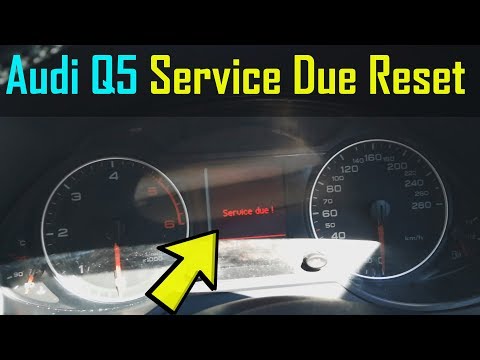
Audi Q5
(2008-2017 /
MK 1, 8R)
Before you begin, sit in the driver's seat of your Audi Q5. Start by activating the instrument cluster by turning the key in the ignition switch. Nex…
Audi Q5
(2008-2017 /
MK 1, 8R)
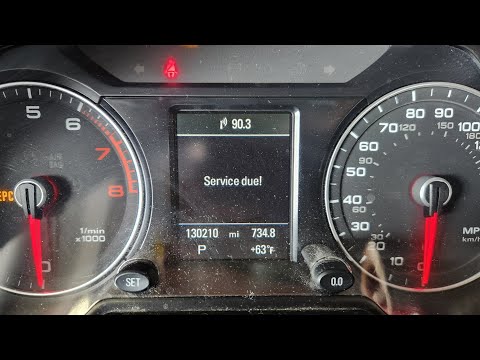
Before you begin, sit in the driver's seat of your Audi Q5. Start by activating the instrument cluster by simply turning the key in the ignition swit…
Audi Q5
(2017-2025 /
MK 2, 80A)
If you don't know how to manually reset the service light of your Audi Q5, don't worry because in this new guide you will find all the instructions y…
Other guides you may be interested in |
How to Open the Fuel Filler Cap of the 2020 Hyundai Tucson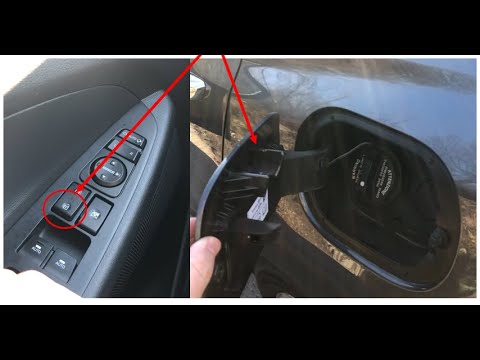
The 2020 Hyundai Tucson has two methods for opening the fuel filler flap. Both methods can only be used if the key has been removed from the ignition and the engine is off. The first method involves removing the key from the ignition and keeping all the car locks open, then go to the flap and press it. This will open the flap. The second method is to stay in the car, remove the key from the ignition, and then press the fuel filler release button located on the left door. by ScegliAuto More videos
|

|
For advertising on this site Write to info@scegliauto.com
ScegliAuto is not responsible for any inaccuracy of the data in the lists. To report any inaccuracy or your business (if you own the business in question), please write to info@scegliauto.com
Number of seconds to generate the page: 0.440
(c) ScegliAuto 2026 - info@scegliauto.com - Privacy policy VAT number: IT01247470535 |
