
|
Do it yourself
| |||
| ||||


How to reset the oil service in the BMW X1?
Model: BMW X1
U11
- Years 2022-2026
In this tutorial, we can see how to reset the oil service in the BMW X1, an extremely simple and quick operation to be carried out only once the scheduled maintenance work is completed. First of all, let's go inside the cabin, then insert the key and turn on the instrument panel. Then press and hold the "BC" button at the end of the left lever to access the maintenance menu, scroll through the various available services, and once you reach the oil service, press and hold the "BC" button a second time. Finally, restart the instrument panel.
Posted on 1 September 2024 by ScegliAuto
Video tutorial
Related tutorials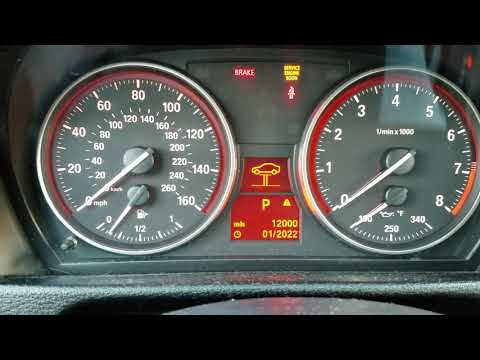
BMW X1
(2009-2015 /
E84)
In this tutorial we can see how to reset the service in the BMW X1, a very simple and quick operation. Before proceeding, make sure you have complete…

BMW X1
(2015-2022 /
F48)
In this tutorial we can see how to reset the service in the BMW X1, an extremely simple and quick operation, to be carried out only once all schedule…

BMW X1
(2009-2015 /
E84)
In this tutorial, see how to reset the service light on a BMW X1, a very simple and quick operation to perform only after completing all scheduled ma…
Other guides you may be interested in
|
How to Open the Bonnet of the Citroen C3
A seemingly simple task that can be quite puzzling on some models is opening the bonnet, as each vehicle has a specific mechanism for this. In this model, you will find an orange lever at the bottom behind the small glove compartment in front of the front passenger seat. Once you pull the lever, you can then fully release the bonnet by also disengaging the internal safety lever, located just above the manufacturer's logo by inserting your hand between the gap of the bonnet and the bumper. by ScegliAuto More videos
|

|
For advertising on this site Write to info@scegliauto.com
ScegliAuto is not responsible for any inaccuracy of the data in the lists. To report any inaccuracy or your business (if you own the business in question), please write to info@scegliauto.com
Number of seconds to generate the page: 0.100
(c) ScegliAuto 2026 - info@scegliauto.com - Privacy policy VAT number: IT01247470535 |
