
|
Do it yourself
| |||
| ||||



How do you pair the phone with Bluetooth in a BMW 1 Series E82?
Model: BMW Serie 1
E81, E82, MK 1, E87
- Years:
2004, 2005, 2006, 2007, 2008, 2009, 2010, 2011, 2012, 2013
Video tutorial
To pair your phone with the Bluetooth of a BMW 1 Series E82, follow these simple steps. First, turn on the car and the infotainment system, then go to the "COM" or "MEDIA" menu on the display. Look for the "Bluetooth" option and select it. Next, on your phone, turn on Bluetooth and search for available devices. You will find the name of your BMW in the list: select it. At this point, you will be asked to confirm the pairing code that will appear on both the car display and the phone. Once confirmed, the pairing will be completed. Now you can enjoy music and make hands-free calls without any problems! If you have a regular radio instead, the first step is to turn on the car and put the radio in "Bluetooth" mode. Then, in the radio menu, look for the "Telephony" or "Bluetooth Settings" option, depending on the version. On your phone, turn on Bluetooth and make sure it is visible to other devices. In the radio, you should see the name of your phone among the available devices. Select it, and a pairing request will appear on your phone. Confirm on both the phone and the radio, and you're good to go! From there, you can make and receive calls in hands-free mode and listen to music via Bluetooth.
Posted on 10 April 2025 by ScegliAuto
Related tutorials
BMW Serie 1
(2004-2013 /
E81, E82, MK 1, E87)
Connecting your mobile phone's Bluetooth to the BMW 1 Series model E87 is a simple and quick operation you can do yourself. First, turn on the igniti…

BMW Serie 1
(2004-2013 /
E81, E82, MK 1, E87)
In this video, we will see how to activate the Bluetooth function on a BMW 1 Series E87 version: we activate the instrument panel and press the phone…
BMW Serie 1
(2004-2013 /
E81, E82, MK 1, E87)
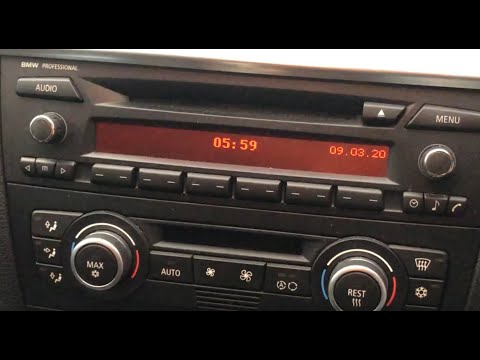
To activate Bluetooth on the BMW 1 Series, turn on the ignition so you can press the MENU button on the central control panel. This will allow you to…
Other guides you may be interested in |
How to Remove the Toll Tag Holder from the Car Windscreen
The toll tag holder is usually attached to the car windscreen to ensure that the toll tag functions immediately when passing through barriers. However, if you decide to remove the holder, you should follow this procedure: - Insert the toll tag into the holder; - Pull the holder inwards to detach it from the windscreen; you can use a glass scraper or a stiff plastic card to assist you; After removing the holder, it is essential to remove the adhesive from the windscreen. To remove the adhesive, we recommend using a solvent-based spray that will remove the glue without clouding the area. by ScegliAuto More videos
|
|
For advertising on this site Write to info@scegliauto.com
ScegliAuto is not responsible for any inaccuracy of the data in the lists. To report any inaccuracy or your business (if you own the business in question), please write to info@scegliauto.com
Number of seconds to generate the page: 0.018
(c) ScegliAuto 2026 - info@scegliauto.com - Privacy policy VAT number: IT01247470535 |
