
|
Do it yourself
| |||
| ||||


How to restart the BMW iDrive 8 to reset it, and what are the main issues?
Model: BMW BMW Various
Video tutorial
Sometimes it can happen that the BMW's I-drive system may encounter problems, like any complex technology: it can freeze or restart on its own due to software bugs or conflicts after an update; in older models, it may become slow over time; and if the update fails, it may even stop working altogether. There can also be hardware issues, such as faulty cables, or the knob may stop functioning due to wear or internal dirt; sometimes the speakers may start crackling, the GPS may not connect, or the maps may not load. Often, all of this can be resolved with a reset, especially if we have Drive 8 or 8.5. Just press the volume button for thirty seconds, and the system will restart on its own.
Posted on 25 December 2025 by ScegliAuto
Related tutorials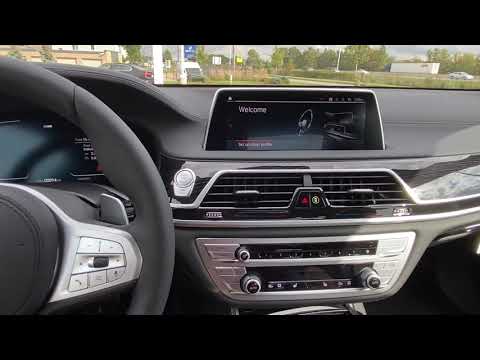
BMW BMW Various
In this video, see how to restart the BMW Idrive operating system: with the vehicle on (but the engine off), press and hold the volume button for 30 …

BMW BMW Various
The emergency call button has been introduced on BMW vehicles so that in the event of a more or less serious accident, the driver can call for help o…

BMW BMW Various
To reset the automatic gearbox on BMWs, connect a diagnostic tool to the vehicle's OBD port. This port is located on the dashboard, immediately below…
Other guides you may be interested in |
How to Reset the AdBlue Warning Light on a Peugeot Boxer
To reset the AdBlue system on a 2018 Peugeot Boxer, follow these steps: Start the engine and ensure the vehicle is parked in a well-ventilated area. Locate the "MENU" button on the dashboard or steering wheel controls. Press and hold the "MENU" button until the menu options appear on the display. Use the arrow buttons or scroll wheel to access the "Vehicle Settings" or "Settings" menu. Select the "AdBlue" or "AdBlue System" option. Look for the "Recharge" or "Reset" option in the AdBlue menu. Once you find the reset option, select it and confirm your choice when prompted. The system will be reset, and a confirmation message may appear on the display. Turn off the engine and wait a few seconds. Restart the engine and check that the AdBlue system has been reset. by ScegliAuto More videos
|
|
For advertising on this site Write to info@scegliauto.com
ScegliAuto is not responsible for any inaccuracy of the data in the lists. To report any inaccuracy or your business (if you own the business in question), please write to info@scegliauto.com
Number of seconds to generate the page: 0.014
(c) ScegliAuto 2026 - info@scegliauto.com - Privacy policy VAT number: IT01247470535 |
