
|
Do it yourself
| |||
| ||||


Why Can't We Reset the Brake Pads on a BMW Vehicle?
Model: BMW BMW Various
Video tutorial
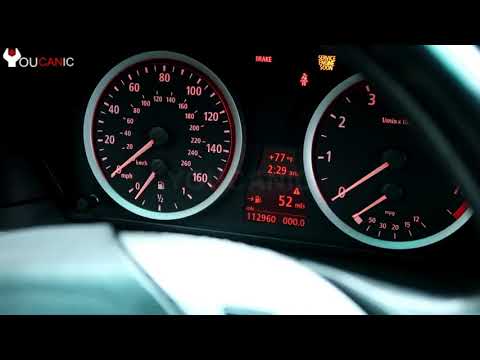
The wear of the brake pads on any car, not just BMW, is indicated on the instrument cluster by the appropriate warning light, which is naturally illuminated. That said, you must first replace the brake pads, and only after that will you focus on clearing the aforementioned warning light. A message saying "Braking System" and a red exclamation mark will appear on the central display, indicating a brake anomaly, and at this point, we will use the button below the odometer to reset it; but if that does not happen, we will engage and disengage the handbrake to succeed in the task.
Posted on 2 August 2026 by ScegliAuto
Related tutorials
BMW BMW Various
In this video we can see what to do if we are unable to reset the brake pad warning light on a BMW car: the door must be closed or manually locked, a…

BMW BMW Various
In this tutorial we can see how to reset the brake pad service in a BMW, an extremely simple and quick operation, to be carried out only once the sch…
BMW BMW Various
In this tutorial, you will learn how to reset the brake service light on a BMW, a very simple and quick operation to perform only after completing th…
Other guides you may be interested in
|
How to Reset the Tyre Pressure Warning Light on the Jeep Renegade?
To reset the tyre pressure warning light on the Jeep Renegade, inflate the tyres until they reach the recommended pressure: this value is indicated on the sticker attached to the driver’s door pillar. Once the tyres are properly inflated, navigate through the menu that appears on the instrument cluster until you find the tyre pressure option. At this point, press and hold the OK button on the right side of the steering wheel to make the warning light disappear. by ScegliAuto More videos
|
|
For advertising on this site Write to info@scegliauto.com
ScegliAuto is not responsible for any inaccuracy of the data in the lists. To report any inaccuracy or your business (if you own the business in question), please write to info@scegliauto.com
Number of seconds to generate the page: 0.030
(c) ScegliAuto 2026 - info@scegliauto.com - Privacy policy VAT number: IT01247470535 |
